
If you have ever searched for how to collect data from the web, you have seen the two words used as if they mean the same thing: web scraping and web crawling. They do not. Mixing them up is the single most common reason data projects start with the wrong tool.
Here is the short version, and then the practical one.
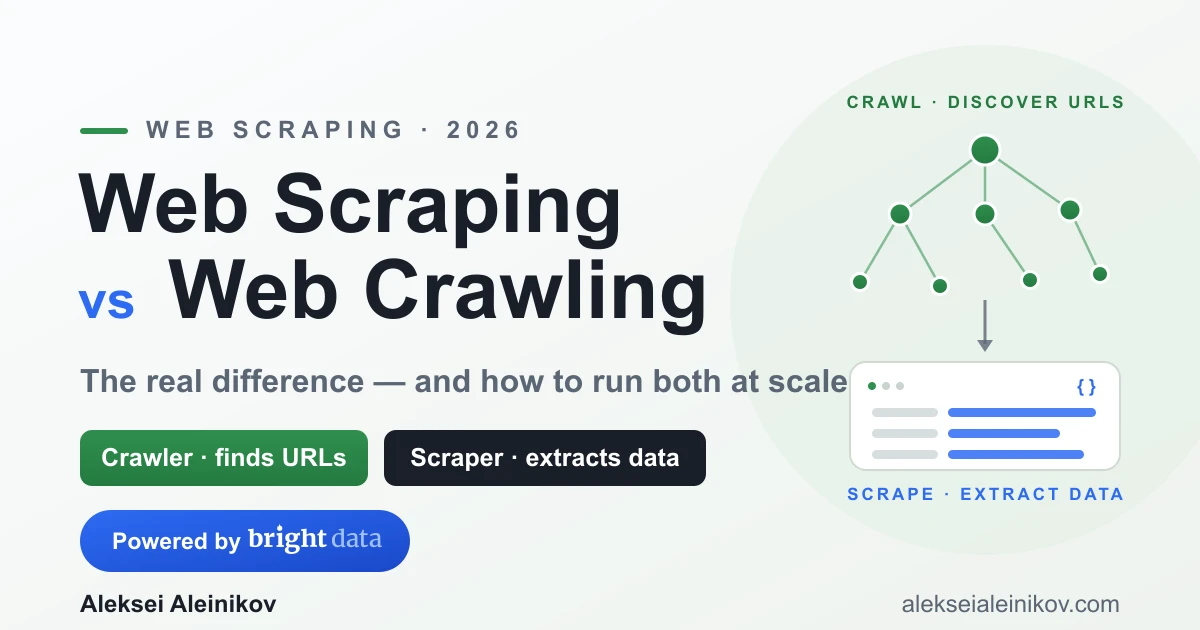
- A crawler discovers and follows links. It answers “which pages exist and where do I go next?”
- A scraper extracts data from a page. It answers “what information do I take from this page?”
They are not competitors. In almost every real project they are two stages of the same pipeline: crawl to find the pages, scrape to pull the data.
The 30-Second Answer
| Web Crawling | Web Scraping | |
|---|---|---|
| Job | Discover and follow URLs | Extract data from a page |
| Question it answers | Where to go? | What to take? |
| Output | A list of links / a site map | Structured data (prices, reviews, titles) |
| Classic example | Googlebot mapping the web | Pulling all product prices from a category |
| Scope | Broad — many pages | Deep — fields on a page |
If you remember one sentence: crawling is navigation, scraping is extraction. A search engine is mostly a crawler. A price monitor is mostly a scraper. A “collect every product in this store” job is both.
How Web Crawling Works
A crawler starts from one or more seed URLs and expands outward:
- Fetch the seed page.
- Parse it and extract every link.
- Add new links to a queue (the URL frontier).
- Repeat — visiting each queued URL, respecting
robots.txtand de-duplicating pages already seen.
A minimal crawler in Python looks like this:
import requestsfrom urllib.parse import urljoin, urlparsefrom bs4 import BeautifulSoup
def crawl(seed, max_pages=50):    seen, queue, base = set(), [seed], urlparse(seed).netloc
    while queue and len(seen) < max_pages:        url = queue.pop(0)        if url in seen:            continue        seen.add(url)
        try:            html = requests.get(url, timeout=10).text        except requests.RequestException:            continue
        soup = BeautifulSoup(html, "html.parser")        for a in soup.select("a[href]"):            link = urljoin(url, a["href"])            # stay on the same site, skip visited            if urlparse(link).netloc == base and link not in seen:                queue.append(link)
    return seen
urls = crawl("https://example.com")print(f"Discovered {len(urls)} URLs")
That is the whole idea of crawling: breadth-first link discovery. The output is a set of URLs — not data yet.
How Web Scraping Works
A scraper takes a single page and pulls out the fields you actually care about. It does not care how you found the URL — that was the crawler’s job.
import requestsfrom bs4 import BeautifulSoup
def scrape_product(url):    html = requests.get(url, timeout=10).text    soup = BeautifulSoup(html, "html.parser")
    return {        "title": soup.select_one("h1").get_text(strip=True),        "price": soup.select_one(".price").get_text(strip=True),        "rating": soup.select_one(".rating").get_text(strip=True),    }
data = scrape_product("https://example.com/product/123")print(data)  # {"title": "...", "price": "...", "rating": "..."}
Crawling gave us where. Scraping gives us what. Chain them and you have a pipeline.
Crawling + Scraping: One Real Pipeline
Here is how they fit together in practice — say you want every product in a store:
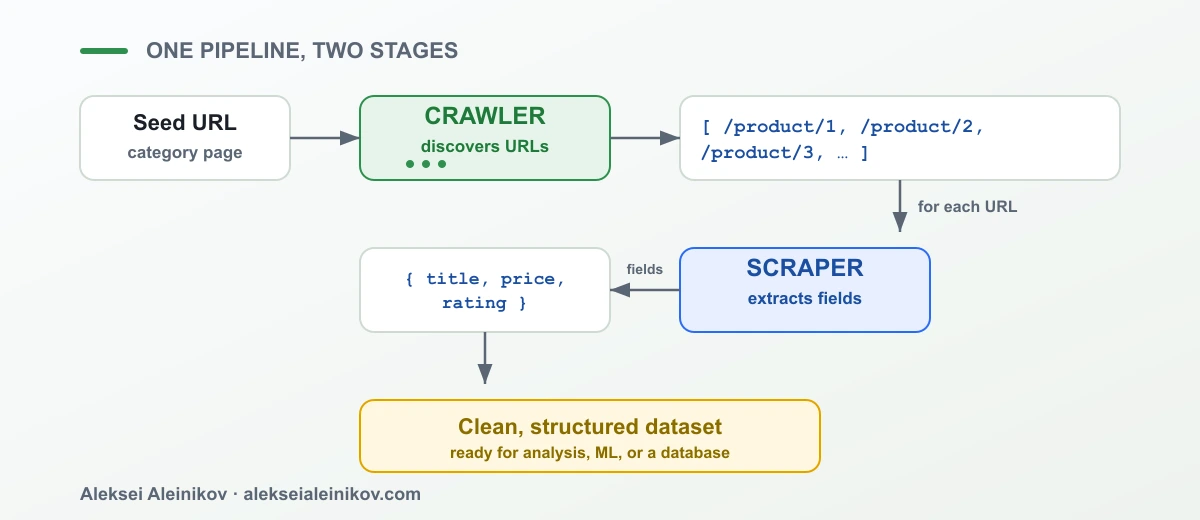
The crawler enumerates the URLs; the scraper turns each one into a row of data. Simple on paper — and then you run it against a real website, and it breaks.
Why Both Break in Production
The code above works on example.com. On a real, commercial target it will not, because at scale you look nothing like a human visitor:
- You send hundreds or thousands of requests from a narrow set of IPs.
- Many pages render their content with JavaScript, so
requestsgets an empty shell. - Sites fight bots with rate limits, CAPTCHAs, and browser fingerprinting.
- Geo-restricted content changes depending on where the request comes from.
This is the wall every scraping and crawling project hits. Solving it yourself means building and maintaining proxy rotation, headless browsers, CAPTCHA handling, and retry logic — an entire subsystem that has nothing to do with your actual data goal.
This is exactly the layer Bright Data is built to replace.
Unblocking the crawl and simple scrapes
For the common case — send a URL, get back clean, rendered HTML — the Bright Data Web Unlocker API handles proxy rotation, anti-bot evasion, CAPTCHA solving, and JavaScript rendering behind a single request. Your crawler and scraper stop caring about blocks:
import requests
API_URL = "https://api.brightdata.com/request"HEADERS = {"Authorization": "Bearer YOUR_API_TOKEN"}
def fetch(url):    payload = {"zone": "web_unlocker", "url": url, "format": "raw"}    resp = requests.post(API_URL, json=payload, headers=HEADERS, timeout=60)    return resp.text  # fully rendered HTML, unblocked
html = fetch("https://example.com/product/123")# hand this straight to BeautifulSoup as before
The complexity moves out of your code and into the access layer — which is exactly where it belongs. The Web Unlocker API turns “one URL in, rendered HTML out” into something that just works, at scale.
Scraping pages that need a real browser
Some targets need more than a rendered page — clicks, logins, scrolling, multi-step navigation. For those, a full browser is the right tool. The Bright Data Scraping Browser API gives you a managed, remote Chrome that Playwright or Puppeteer attach to over CDP, with proxies and unblocking built in — so you get browser-grade scraping without running a fleet of headless browsers yourself:
from playwright.sync_api import sync_playwright
CDP_URL = "wss://YOUR_ENDPOINT@brd.superproxy.io:9222"
with sync_playwright() as p:    browser = p.chromium.connect_over_cdp(CDP_URL)    page = browser.new_page()    page.goto("https://example.com/product/123")    page.wait_for_selector(".price")    print(page.inner_text(".price"))    browser.close()
The rule of thumb: reach for the Scraping Browser API when the workflow needs interaction (clicks, forms, infinite scroll), and the Web Unlocker API when you just need the rendered HTML of a URL.
Is Web Scraping Legal?
This is the question everyone asks, so let us be clear and honest.
Scraping publicly available data is broadly permitted in many jurisdictions, and courts — most notably in the hiQ v. LinkedIn line of cases in the US — have repeatedly distinguished accessing public data from unauthorized access to protected systems. But “public data is generally fine” is not a blank check. Legality depends on what you collect and how:
- Respect terms of service where they apply to your access.
- Avoid personal data you have no lawful basis to process (GDPR/CCPA matter).
- Do not bypass authentication — scraping behind a login is a different legal category.
- Do not scrape copyrighted content for republication.
- Keep request rates reasonable so you do not degrade the target service.
Crawling has the same boundaries. robots.txt is a norm to respect, not a law, but ignoring it plus hammering a site is exactly how you end up on the wrong side of both ethics and litigation. For anything commercial, get advice for your specific use case.
Best Tools for Each Job (2026)
| Need | Reach for |
|---|---|
| Crawl a site to discover URLs | Scrapy, or a custom BFS crawler |
| Extract fields from static HTML | BeautifulSoup, lxml, Cheerio |
| Extract from JS-heavy pages | Playwright / Puppeteer |
| Get unblocked HTML from any URL | Bright Data Web Unlocker API |
| Browser-grade scraping at scale | Bright Data Scraping Browser API |
The open-source tools give you the logic; the access layer gives you the reliability. In production you almost always want both.
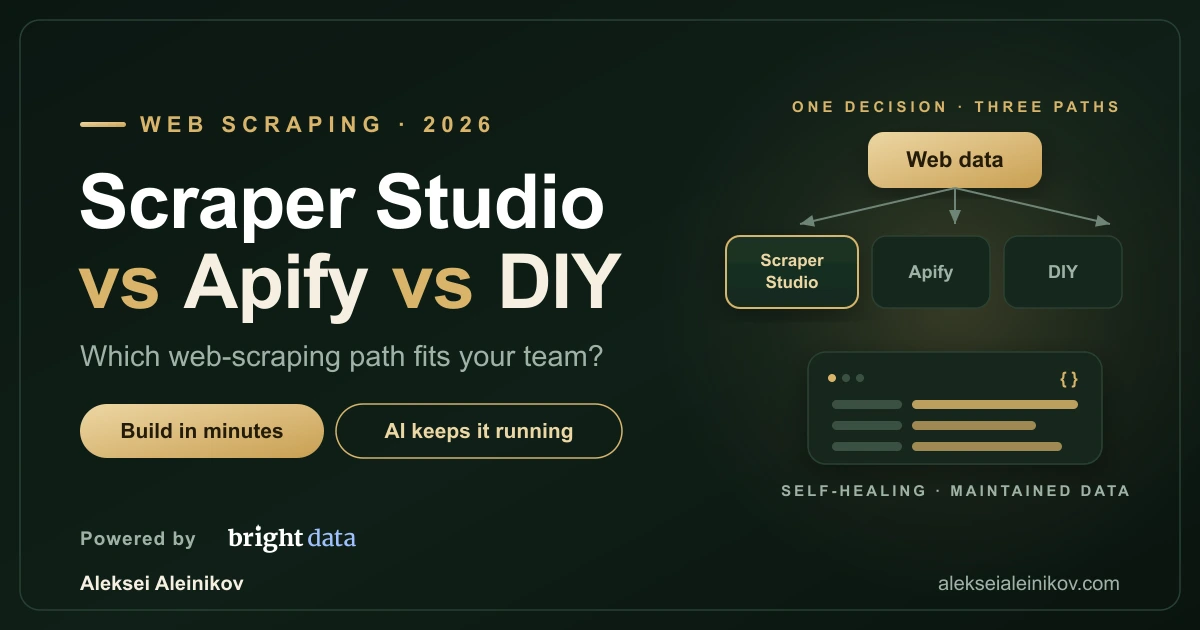
Ready to pick a stack? See Scraper Studio vs Apify vs DIY for how the three build-and-maintain paths really compare.
The Bottom Line
Web crawling and web scraping are not the same thing, and they are not rivals:
- Crawling discovers where the data is.
- Scraping extracts what the data is.
- Together they form one pipeline: find the URLs, then pull the data.
The logic is easy. The hard part — the part that separates a weekend script from a production system — is staying unblocked at scale. Handle discovery with a crawler, extraction with a scraper, and the blocking wall with an unlocking layer like the Web Unlocker API or the Scraping Browser API, and the whole thing stops feeling like magic and starts feeling like plumbing you actually control.
From the community
Discussion on the Fediverse
Replies from Mastodon and Bluesky — straight from the open web, no tracking.
Loading replies …
No replies yet. Start the conversation:
Replies could not be loaded right now.