
Every GCP breach story has the same opening scene. A sa-key.json file sits in a CI variable, a pinned Slack message, and someone’s ~/Downloads since 2023. It has one property that should terrify you: it never expires. Whoever holds that file is your service account — with every role you ever granted it — until the day someone remembers to rotate it. Nobody remembers.
Long-lived service account keys are the single most common way a Google Cloud project gets fully compromised. Not a clever exploit — a leaked JSON file. In 2026 you do not need them for almost anything, and this is the field guide to removing them: how the keyless exchange actually works, how to wire GitHub Actions with zero secrets, the one line of config that decides whether your setup is safe, and how to migrate without breaking a single pipeline.
Why a Long-Lived Key Is a 2026 Liability
A service account key is a static credential with three fatal traits:
- It never expires. A password has a rotation policy; a key has none. It is valid until manually revoked.
- It travels. JSON is copy-paste. It ends up in Git history, CI logs, laptops, and screenshots — each a new place it can leak.
- It hides who used it. Audit logs show the service account acting, never the human or machine that presented the key. After a leak, you cannot tell attacker traffic from legitimate traffic.
One key in a public repo equals full access to whatever that account can touch — often more than anyone remembers granting. The fix is not “rotate more often.” It is to stop the key from existing.
What Workload Identity Federation Actually Is
Here is the doc-speak translation. Your external system already has an identity it can prove: GitHub Actions issues every workflow run a signed OIDC token, AWS signs its instance identity, an on-prem box can run any OIDC provider. Workload Identity Federation teaches Google Cloud to trust that token and swap it for a short-lived GCP access token. No key is minted. No secret leaves Google. Nothing static exists to leak.
Three pieces do the work:
- Workload Identity Pool — a trust boundary that holds one or more external identity sources.
- Provider — the specific issuer you trust (GitHub’s OIDC endpoint, AWS, an OIDC URL), plus how to read its claims.
- Attribute mapping + condition — how the external token’s fields (
repository,repository_owner,sub) map to Google attributes, and which ones are allowed to exchange at all.
The flow, end to end:
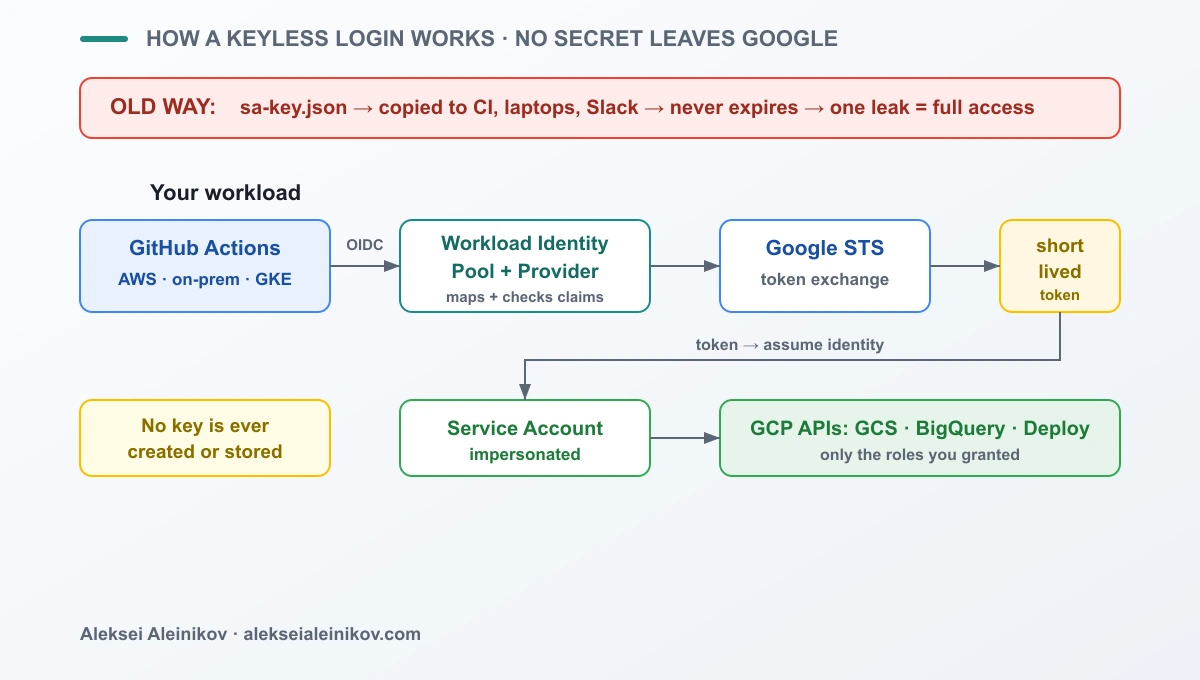
The external workload presents its OIDC token, the provider validates and maps the claims, Google’s Security Token Service (STS) returns a short-lived token, and that token impersonates a service account limited to exactly the roles you granted. When the job ends, the token dies. There is nothing to rotate, because there is nothing to store.
Hands-On: GitHub Actions to GCP With Zero Keys
The most common ask is deploying from GitHub without a GCP_SA_KEY secret. Here is the whole setup.
First, create the pool and a GitHub provider:
# One pool per trust boundary (e.g. all CI)gcloud iam workload-identity-pools create github-pool \  --location=global \  --display-name="GitHub Actions"
# A provider that trusts GitHub's OIDC issuergcloud iam workload-identity-pools providers create-oidc github-provider \  --location=global \  --workload-identity-pool=github-pool \  --issuer-uri="https://token.actions.githubusercontent.com" \  --attribute-mapping="google.subject=assertion.sub,attribute.repository=assertion.repository,attribute.repository_owner=assertion.repository_owner" \  --attribute-condition="assertion.repository_owner == 'your-org'"
That last flag is the one that matters. Hold that thought — we come back to it in the next section, because getting it wrong is how people hand their project to strangers.
Next, let a specific repo impersonate a deploy service account:
PROJECT_NUMBER=$(gcloud projects describe my-project --format='value(projectNumber)')
gcloud iam service-accounts add-iam-policy-binding \  deployer@my-project.iam.gserviceaccount.com \  --role=roles/iam.workloadIdentityUser \  --member="principalSet://iam.googleapis.com/projects/${PROJECT_NUMBER}/locations/global/workloadIdentityPools/github-pool/attribute.repository/your-org/my-app"
Finally, the workflow — note there is no key anywhere:
permissions:  contents: read  id-token: write        # lets the runner request an OIDC token
jobs:  deploy:    runs-on: ubuntu-latest    steps:      - uses: actions/checkout@v4      - id: auth        uses: google-github-actions/auth@v2        with:          project_id: my-project          workload_identity_provider: projects/${{ env.PROJECT_NUMBER }}/locations/global/workloadIdentityPools/github-pool/providers/github-provider          service_account: deployer@my-project.iam.gserviceaccount.com      - run: gcloud run deploy my-app --source .
No secret to leak, no key to rotate. The runner proves who it is, Google hands back a token that expires in minutes, and the deploy runs.
The Trap Everyone Falls Into: attribute_condition
This is the part the quickstarts gloss over, and it is the reason to read this article.
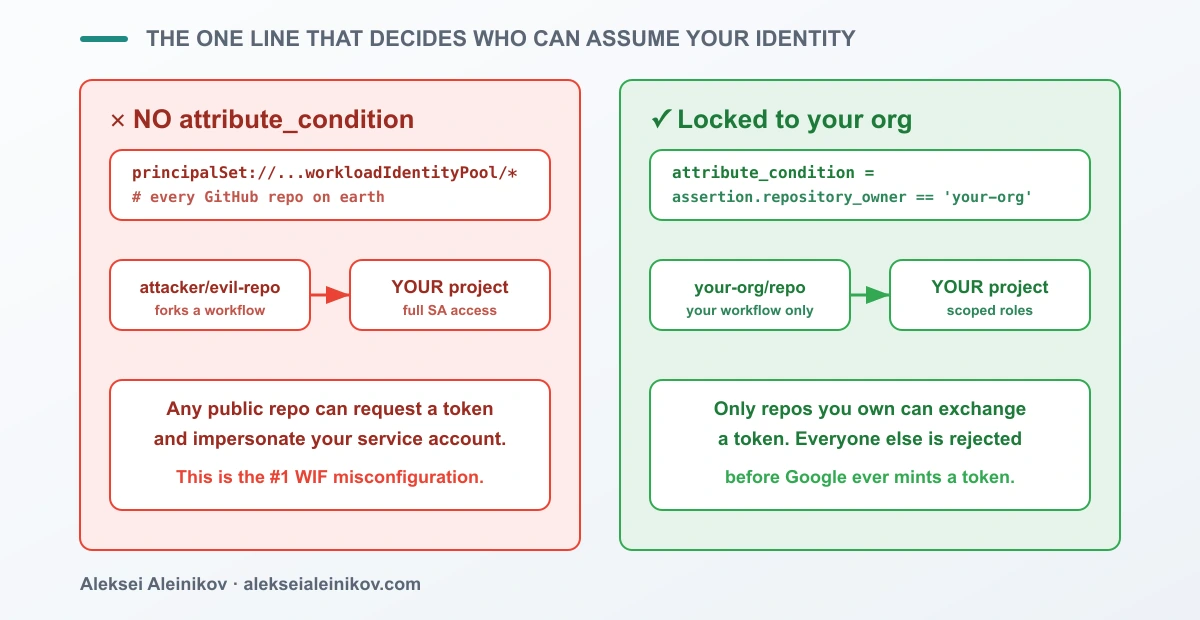
When you create the provider, the attribute_condition decides which external identities are even allowed to exchange a token. Leave it off, and you have told Google to trust the entire issuer. For GitHub, the issuer is token.actions.githubusercontent.com — which signs tokens for every public repository on the planet. Any stranger can fork a workflow, request a token, and impersonate your service account.
The dangerous version — no condition:
# DANGER: trusts every repo GitHub will ever sign a token for--issuer-uri="https://token.actions.githubusercontent.com" \--attribute-mapping="google.subject=assertion.sub"# (no --attribute-condition)The safe version — locked to your org, then scoped to a repo on the binding:
# SAFE: only tokens from repos you own can exchange at all--attribute-condition="assertion.repository_owner == 'your-org'"Two independent gates protect you: the condition on the provider decides who may exchange a token, and the principalSet on the IAM binding decides which of those may impersonate a given service account. Set both. A provider without a condition is the number-one Workload Identity Federation misconfiguration, and it is exactly the kind of thing an attacker scans for.
Migrating Off Existing Keys Without Downtime
You cannot delete keys you cannot see. Start with an inventory across every service account:
for sa in $(gcloud iam service-accounts list --format='value(email)'); do gcloud iam service-accounts keys list --iam-account="$sa" \ --managed-by=user --format="table(name, validAfterTime)"done--managed-by=user matters: it filters out Google-managed keys (which are fine and rotate themselves) so you only see the user-created ones you actually need to kill.
Then migrate one workload at a time, never big-bang:
- Stand up federation in parallel. Create the pool, provider, and binding. The old key still works — nothing is broken yet.
- Switch one pipeline to keyless auth and confirm it deploys.
- Disable, do not delete, the key. Watch audit logs for anything still using it:
gcloud logging read \ 'protoPayload.authenticationInfo.principalEmail="deployer@my-project.iam.gserviceaccount.com" AND protoPayload.metadata.@type:"ServiceAccountKey"' \ --freshness=7d --limit=20- Delete once quiet. If nothing has used the key for a full cycle, remove it.
Disable-before-delete gives you a free rollback: if something you forgot still needs the key, re-enable it in seconds instead of firefighting a production outage.
Make Keys Impossible to Recreate
Removing keys is worthless if someone creates a new one next sprint. Close the door at the organization level:
gcloud resource-manager org-policies enable-enforce \ iam.disableServiceAccountKeyCreation \ --organization=YOUR_ORG_IDWith that policy on, gcloud iam service-accounts keys create fails for everyone. Pair it with an alert on the CreateServiceAccountKey audit event so that any attempt — say, someone requesting a policy exception — is visible instead of silent. Now “no keys” is an enforced state, not a hope.
When You Still Can’t Go Keyless
Honesty keeps this credible: federation does not cover everything. A legacy SDK with no OIDC support, a vendor integration that only accepts a key file, an air-gapped system that cannot reach Google’s STS — these still exist. For those, minimize the blast radius instead:
- Scope the key’s service account to the absolute least privilege it can run with.
- Rotate on a short, automated schedule — a key you must keep is a key you must expire.
- Store it in Secret Manager, never in a repo, a CI variable, or a shared drive.
A key you are forced to keep should be the rare, documented exception — not the default you never questioned.
The same “bind access to an identity, not a static secret” idea now applies to AI agents and their tools. For the MCP version of this principle, see User-Level Permission Controls for MCP Tool Access.
The Field Rule
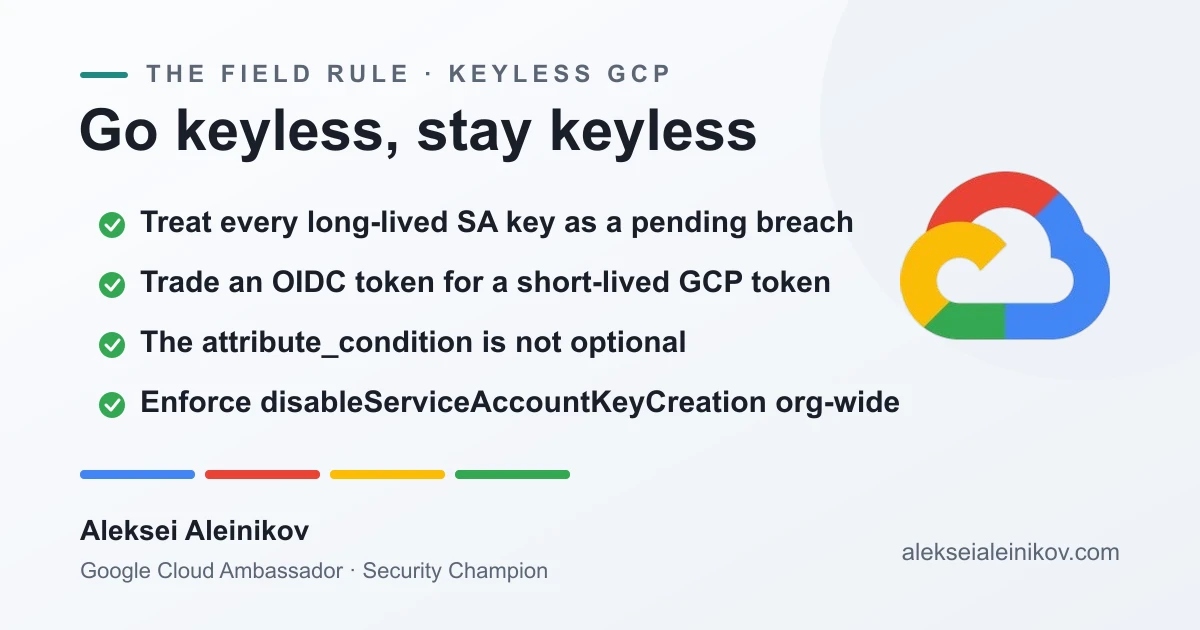
Treat every long-lived service account key as a breach that has not happened yet. Replace it with Workload Identity Federation: an external OIDC token exchanged for a short-lived GCP token, with no secret ever stored. Always set an attribute_condition — without it, any repo can wear your identity. Migrate one workload at a time with disable-before-delete, then enforce disableServiceAccountKeyCreation so keys can never come back. Get that right and the scariest file in your infrastructure simply stops existing.
If you are hardening a GCP estate — or working through the same keyless migration yourself — reach out. I share what I build and secure under #GoogleCloud, #CloudSecurity and #GoogleCloudAmbassador.
From the community
Discussion on the Fediverse
Replies from Mastodon and Bluesky — straight from the open web, no tracking.
Loading replies …
No replies yet. Start the conversation:
Replies could not be loaded right now.