
For years, “AI in the browser” meant one of two things: a slow demo that melted your laptop fan, or a fetch() call to someone else’s server. The model never really ran on the page — it ran in a data center, and your users’ data went with it.
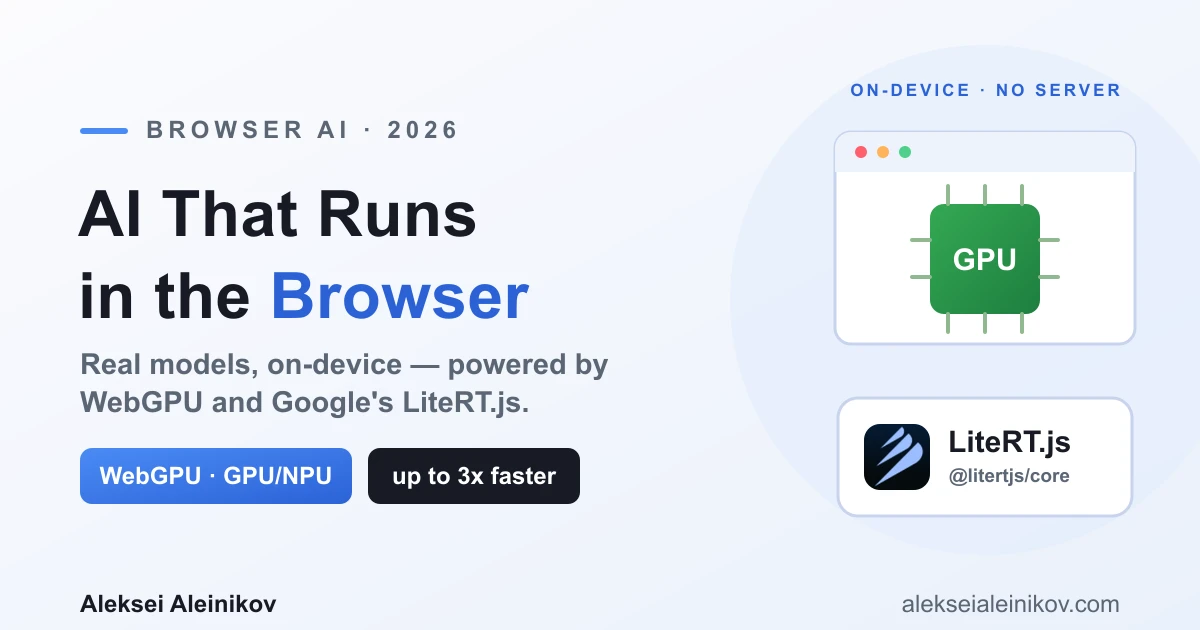
That changed in 2026. Browsers now ship a GPU API mature enough for real inference, and on July 9, 2026 Google released LiteRT.js, a runtime built to use it. Put those two together and you can run genuine models — object detection, audio processing, depth estimation — entirely on the user’s device, with no server in the loop.
This is a practical look at what “browser AI” actually means now: what made it fast, how LiteRT.js works, and — honestly — when you should and shouldn’t use it.
Why On-Device Inference Suddenly Matters
Running a model in the browser instead of on a server is not a party trick. It buys you three things a hosted API fundamentally cannot:
- Privacy by architecture. The input — a photo, a voice clip, a document — never leaves the device. There is no upload, no log, no data-processing agreement to negotiate. For anything touching personal data, that is a compliance story you can’t get any other way.
- Ultra-low latency. No network round-trip means predictions land in milliseconds. Real-time use cases — live object tracking, webcam effects, on-the-fly transcription — only work when inference is local.
- Zero server cost. The user’s hardware does the work. You ship a model file once from a CDN and pay nothing per inference. No GPU fleet, no autoscaling, no bill that grows with usage.
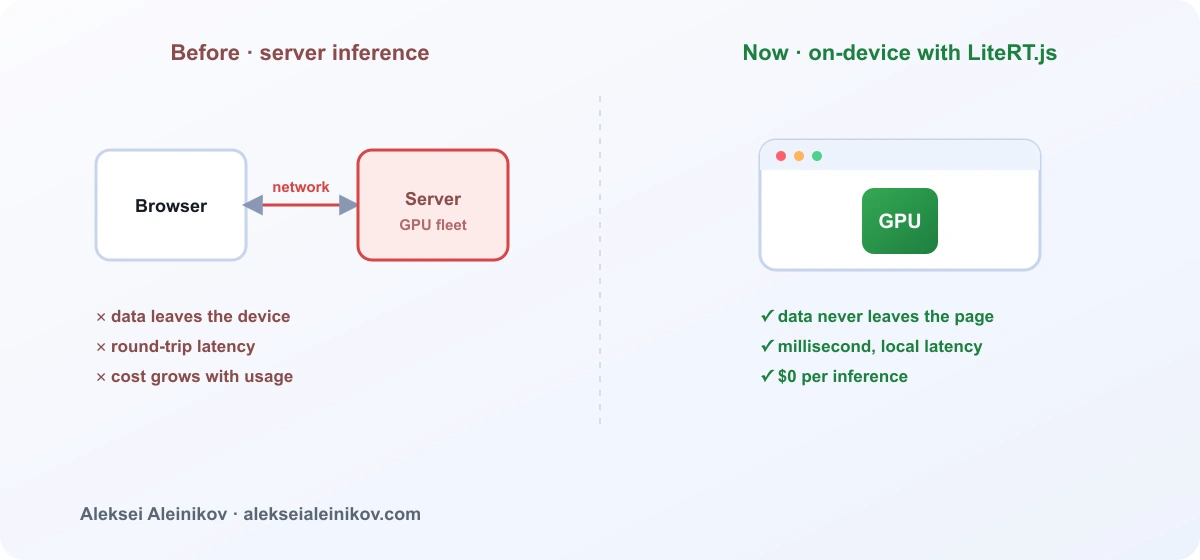
The catch, until recently, was speed. JavaScript ML runtimes were slow because they ran on JavaScript-based kernels. That is the wall 2026 finally broke through.
The Unlock: WebGPU
The single most important piece is WebGPU — the modern browser API that gives JavaScript low-level, direct access to the GPU. It replaces the aging WebGL path with something designed for general-purpose compute, which is exactly what ML inference needs.
Why it changes everything: routing a model through the GPU instead of the CPU delivers, in Google’s own benchmarks, a 5-60x speedup for demanding real-time tasks. A depth-estimation model that stutters on the CPU runs smoothly on the GPU. And webgpu is one of those rare topics with real, rising search demand and almost no serious competition yet — a sign the ecosystem is still early.
For newer hardware there is a third tier: the WebNN API (experimental in Chrome and Edge) targets dedicated NPUs — the neural accelerators now shipping in laptops and phones — for power-efficient, ultra-low-latency inference.
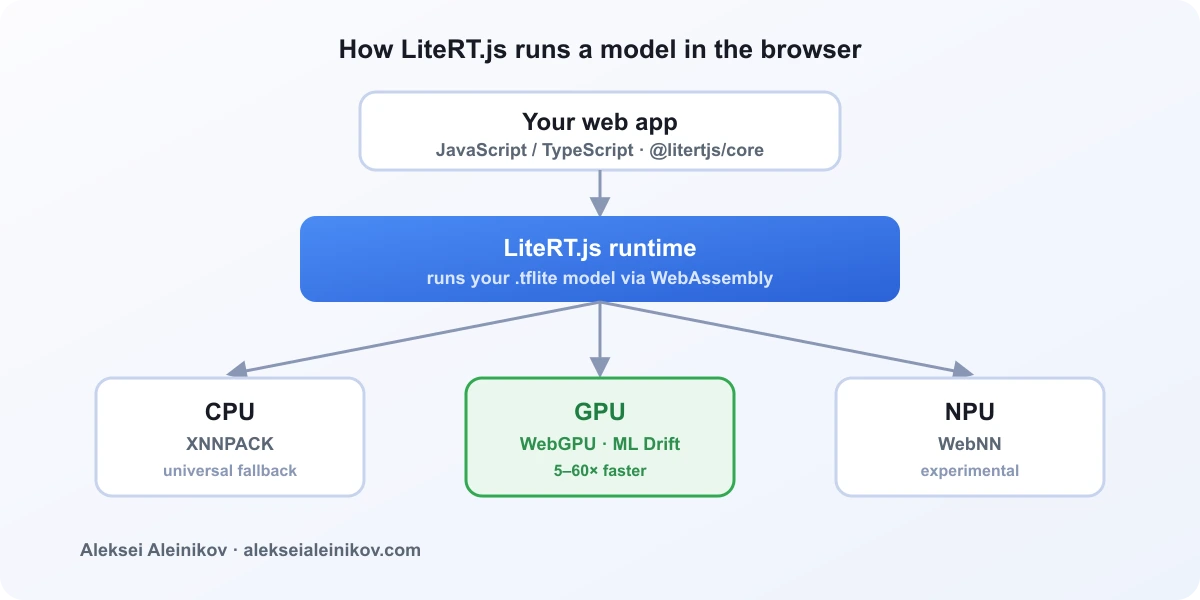
So the hardware ladder in the browser now looks like this:
| Backend | Powered by | Best for |
|---|---|---|
| CPU | XNNPACK | Universal fallback, small models |
| GPU | ML Drift via WebGPU | Real-time vision, audio, most workloads |
| NPU | WebNN (experimental) | Power-efficient inference on new devices |
WebGPU is the API. You still need a runtime that knows how to drive it. That is where LiteRT.js comes in.
What LiteRT.js Actually Is
LiteRT.js is a JavaScript binding of LiteRT — Google’s trusted on-device inference library, the same runtime that powers ML on Android, iOS, and desktop. It runs .tflite models directly in the browser through WebAssembly, exposing that native, cross-platform runtime — with all its CPU, GPU, and NPU optimizations — to web developers for the first time.
The headline claims from the launch:
- Up to 3x faster than existing web runtimes across CPU and GPU inference.
- A unified stack with LiteRT on mobile and desktop, so your web app inherits future quantization and hardware improvements automatically.
- Native acceleration across CPU (XNNPACK), GPU (ML Drift/WebGPU), and NPU (WebNN).
If you have ever used TensorFlow.js, this is the important framing: Google positions LiteRT.js as the performance evolution from TensorFlow.js for executing .tflite models. Where TF.js leaned on JavaScript kernels, LiteRT.js gives you the native runtime. Existing TF.js users can even route .tflite inference through LiteRT.js inside their current pipelines.
New to running models against live data? The same on-device mindset applies server-side too — see building a real-time RAG pipeline in Python for the retrieval half of modern AI apps.
Getting a Model Running
Two paths get a model into LiteRT.js.
If you already have a .tflite model, you load and run it directly. The API is small — initialize the runtime, compile the model against an accelerator, feed a tensor, read the result:
import { loadLiteRt, loadAndCompile, Tensor } from '@litertjs/core';
// 1. Initialize the WebAssembly runtime.await loadLiteRt('path/to/wasm/directory/');
// 2. Compile the model against the GPU via WebGPU.const model = await loadAndCompile('path/to/your/model.tflite', {  accelerator: 'webgpu',});
// 3. Build an input tensor (here: a 1×3×224×224 image batch).const inputTypedArray = new Float32Array(1 * 3 * 224 * 224);const inputTensor = new Tensor(inputTypedArray, [1, 3, 224, 224]);
// 4. Run inference. The result lives on the GPU…const results = await model.run(inputTensor);
// …so move it to CPU memory to read the values out.const resultArray = (await results[0].moveTo('wasm')).toTypedArray();
Install it from npm with @litertjs/core. Pretrained .tflite models are available on Kaggle and the LiteRT Hugging Face community.
If your model is in PyTorch, convert it in a single step with LiteRT Torch, which lowers a PyTorch model to .tflite. For extra savings, the AI Edge Quantizer lets you apply tailored quantization per layer — meaningful size and speed gains while preserving quality.
What People Are Already Building
The launch shipped with real demos, not toy examples — a good signal of what the runtime can handle today:
- Object detection — official Ultralytics YOLO export to LiteRT, running YOLO26 in the browser.
- Depth estimation — turning a live webcam feed into an interactive 3D point cloud in real time with Depth-Anything-V2, via WebGPU.
- Image upscaling — 4x upscaling in-browser with Real-ESRGAN.
- Vector search — semantic search running entirely client-side with EmbeddingGemma.
And the roadmap points at the obvious next frontier: LiteRT-LM.js adds browser support for LLMs, which is where on-device generative AI gets genuinely interesting.
When Browser AI Is the Wrong Choice
Being honest is more useful than being a cheerleader. On-device inference is a poor default in three cases:
- The model is too big. If it won’t comfortably download and sit in browser memory, the client is the wrong home. Very large language models still belong on a server. And remember the model is only half the payload — every kilobyte of JavaScript you ship competes with it, so trimming your bundle matters just as much on the client.
- You need central control. When the model’s behavior must be a single, governed source of truth — audited, rate-limited, updated instantly for everyone — server-side inference is easier to reason about.
- The client hardware is too weak. Not every user has a WebGPU-capable GPU or an NPU. Always design a CPU fallback, and measure on real low-end devices, not just your M4 MacBook.
Browser AI wins clearly for small-to-mid models where privacy, latency, or cost are the priority — vision, audio, embeddings, interactive effects. That is a large and growing slice of real applications.
The Takeaway
The story of 2026 is that browser AI stopped being a demo. WebGPU made the hardware reachable from JavaScript, and LiteRT.js made Google’s native runtime usable on the web — up to 3x faster than what came before, with a clean migration path from TensorFlow.js. If you build for the web and you have been sending user data to a server just to run a small model, it is worth asking whether that model now belongs on the device instead.
Start with the LiteRT.js documentation, grab a .tflite model, and run your first inference where your users actually are — in the browser.
From the community
Discussion on Mastodon & Bluesky
Replies to this article from the open web, pulled in live. No ads, no tracking scripts.
Reply there — it shows up here automatically.