
If you last read about npm supply chain security after the Shai-Hulud worm, your mental model is a year out of date. A lot shipped during 2026, and some of the advice everyone was giving is now done for you by default.
This is what is actually true today: what you get for free, what is still opt-in, and what nobody is going to fix on your behalf.
The attack this all responds to
GitHub was notified on September 14, 2025 of the Shai-Hulud attack. Worth restating because every control below is shaped by it:
- It got in through compromised maintainer accounts, not a vulnerability in any package.
- It injected malicious post-install scripts into popular packages.
- It was self-replicating — a worm.
- It stole multiple kinds of secrets, not just npm tokens.
GitHub removed 500+ compromised packages and blocked uploads matching the malware’s indicators of compromise.
Every package involved was one you meant to install, from a maintainer you had reason to trust, at an unremarkable version number.
Why your scanner said the tree was clean
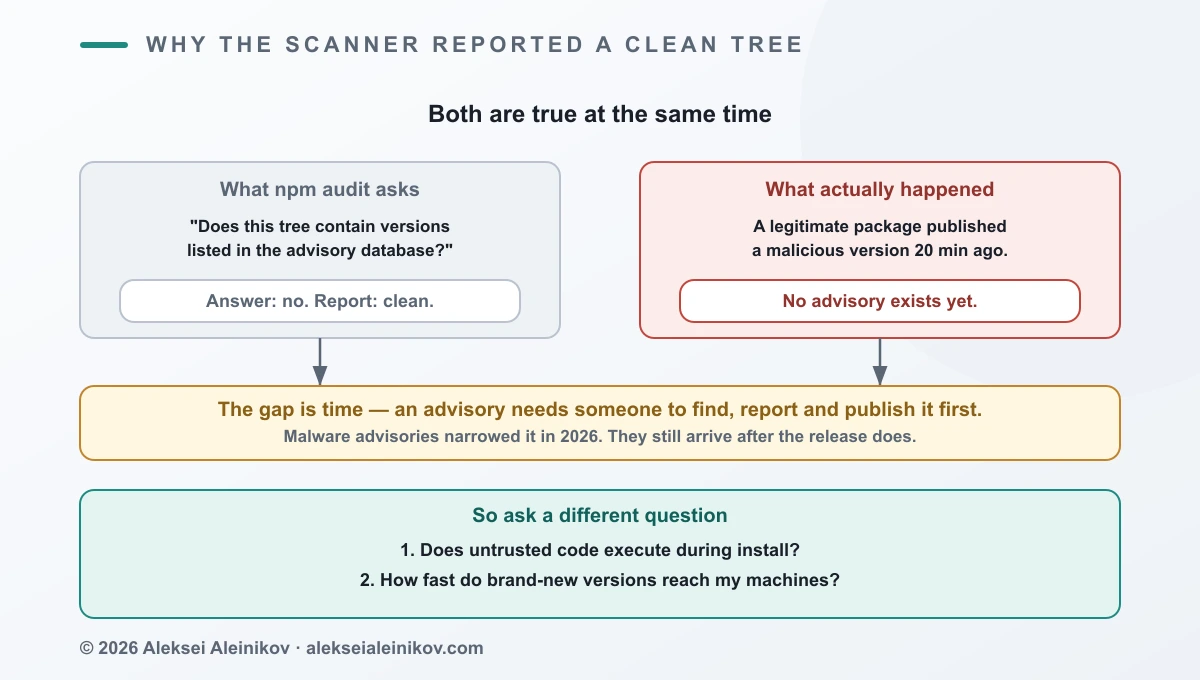
npm audit compares your dependency tree against an advisory database. For a finding to exist, somebody must first discover, report and publish it.
A malicious version pushed twenty minutes ago has been through none of that. No advisory, no match, clean report.
One honest update: in August 2026 GitHub wired OpenSSF’s malicious-packages data into the Advisory Database, so malware advisories now sit alongside CVEs. The gap is narrower than it was.
It is not closed. An advisory still trails the attack, and spreading inside that lag is the entire business model. Keep running npm audit. Just stop treating a clean result as evidence you are fine.
What you now get by default
This is the part that changed, and the reason most 2025-era advice needs rereading.
npm v12 disables install scripts
Announced June 2026 as a breaking change: npm v12 disables install scripts by default. Attackers used them to exfiltrate credentials at install time rather than waiting for your code to import anything. You re-enable them by approving specific scripts.
The same change blocks dependencies specified via git or remote URLs by default, closing another install-time execution path.
This is the single most important line in this article. The vector Shai-Hulud actually used is off by default — if you are on v12.
If you are not, it is still your job:
npm ci --ignore-scriptsOr in .npmrc:
ignore-scripts=trueThe honest cost: packages with native components need their build step. A blanket ban across a large monorepo will break installs. Deny by default and allowlist the exceptions — the model pnpm has used for a while via allowBuilds, with dangerouslyAllowAllBuilds if you want out entirely. The name tells you what the maintainers think of that.
Dependabot waits three days
Since July 2026, Dependabot version updates wait until a release is at least three days old before opening a pull request. Detection signals get time to surface first. On by default, and security updates are exempt — critical fixes are not delayed.
Attackers depend on speed. This removes it, at almost no cost to you.
pnpm enforces a stricter version at install time:
minimumReleaseAge: 10080 # minutes — one weekA version younger than that is not eligible for installation at all. minimumReleaseAgeExclude handles the packages you want immediately.
Classic tokens are gone
npm’s docs are unambiguous: as of November 2025, only granular access tokens are supported. Legacy access tokens have been removed.
Granular tokens scope by package, scope and organisation, restrict by IP range, and take an expiry at least one day out.
One footgun worth knowing: granular tokens have a Bypass 2FA option. It defaults to false, but when enabled it takes precedence over both account-level and package-level 2FA for publishing. If you enforce 2FA on a package and someone has a bypass token, your enforcement is not what you think it is.
Since August 2026, bypass-2FA tokens can no longer perform account-identity or governance actions — changing email or password, touching 2FA config, managing tokens, adding maintainers. Those always require an interactive challenge. They can still publish directly.
Compromised accounts get a cooling-off period
Since June 2026, high-impact npm accounts drop into read-only mode for 72 hours when the email changes or a 2FA recovery code is used. Phishing is how these campaigns start; this buys the real maintainer time to recover before the account can publish.
What is still opt-in
Defaults handle the last attack. These are what you turn on yourself.
Trusted publishing
OIDC between npm and your CI provider. A named workflow is authorised to publish. Each publish mints a short-lived, signed credential that cannot be extracted from logs or reused.
permissions:  id-token: write     # required for OIDC  contents: read
steps:  - uses: actions/checkout@v6  - uses: actions/setup-node@v6    with:      node-version: '24'      registry-url: 'https://registry.npmjs.org'      package-manager-cache: false   # never cache in release builds  - run: npm ci  - run: npm test  - run: npm publish
Constraints to plan around:
- npm CLI 11.5.1+, Node 22.14.0+
- GitHub Actions, GitLab CI/CD, and CircleCI since April 2026
- Cloud-hosted runners only — self-hosted is not supported
- Up to 10 trusted publishers per package
Same idea as killing service account keys with Workload Identity Federation: stop storing a long-lived credential, mint a short-lived one per run against a verified identity.
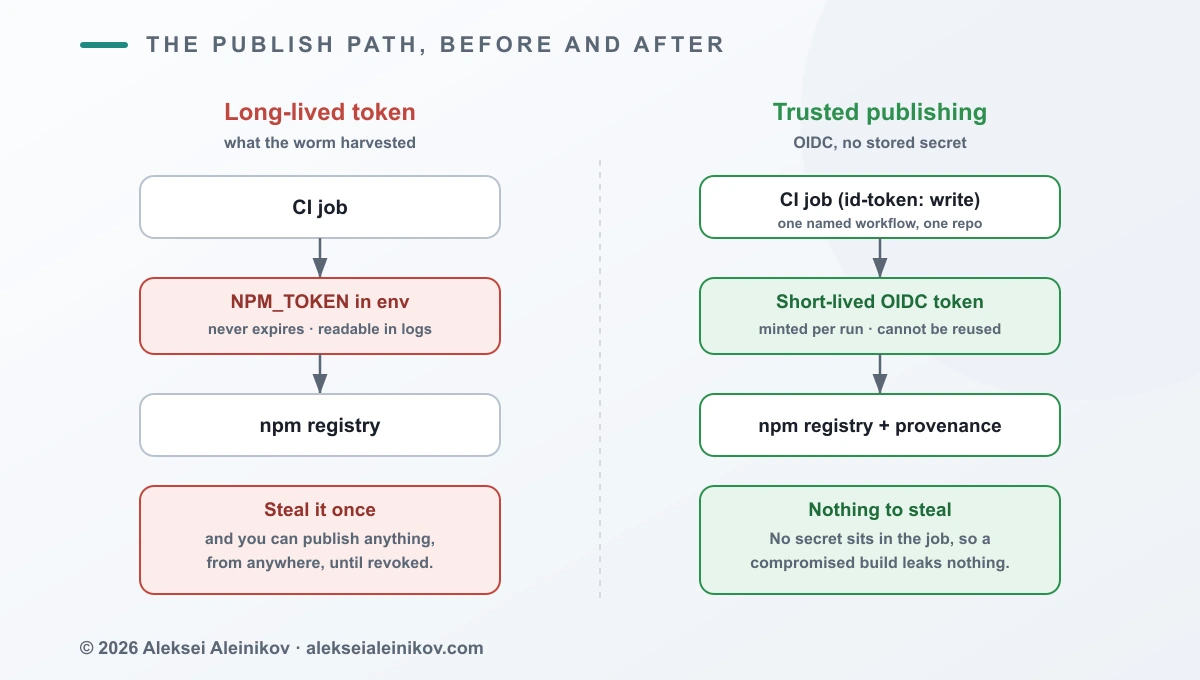
Publishing this way from GitHub Actions or GitLab CI/CD generates provenance attestations automatically — no --provenance flag. Not supported for CircleCI, and not generated for packages published from private repositories, even when the package is public.
Staged publishing
Released May 2026, opt-in. Credentials alone no longer distribute a package: the version is staged until a maintainer approves it with 2FA, in the CLI or on npmjs.com.
This is the control that survives a fully compromised pipeline. An attacker with your CI credentials gets a staged version and a notification to a human, not a release.
Close the doors you stopped using
Setting up trusted publishing while the old automation token stays valid gains you little. Once the new flow works:
- Package Settings → Publishing access → “Require two-factor authentication and disallow tokens”
- Revoke the automation tokens you no longer need
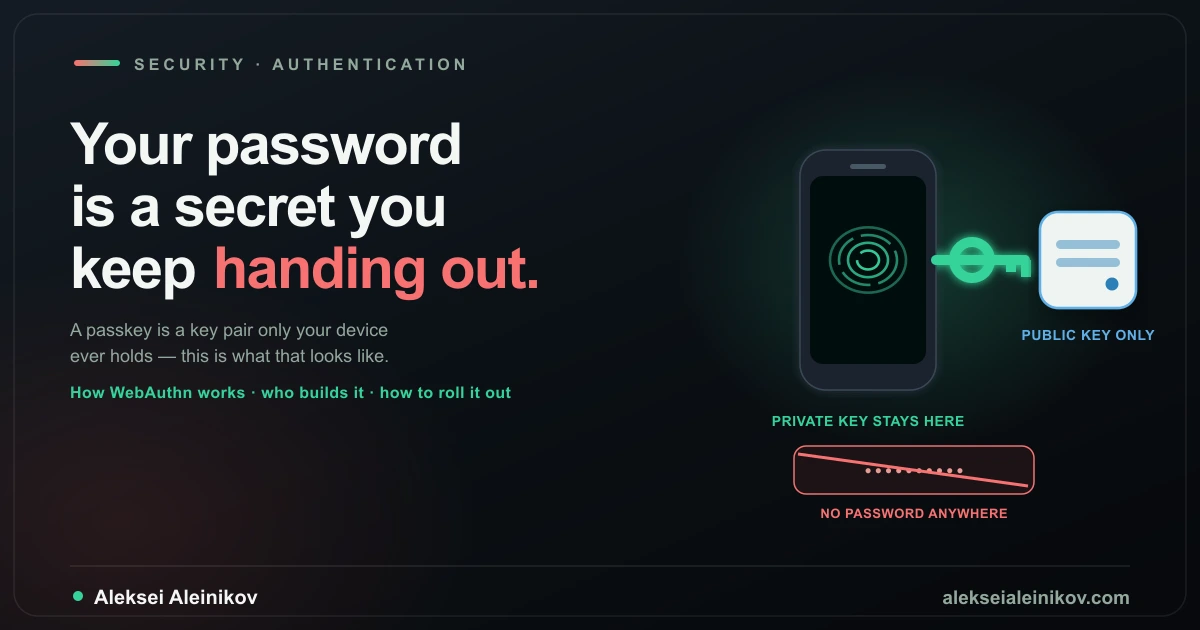
And when configuring 2FA, npm’s guidance is explicit: WebAuthn, not TOTP. TOTP codes are phishable. Why a WebAuthn credential is not, at the protocol level, is explained in passkeys vs passwords: how WebAuthn actually works.
Watch what leaves your runner
GitHub’s Actions network firewall is in technical preview and logs all outbound traffic from workflow runs, so you can spot a job suddenly talking to a domain it has never talked to before.
This is the only item here that is detection rather than prevention, which makes it disproportionately valuable.
What none of this fixes
The section the vendor posts skip.
A compromised maintainer can still publish malicious code. Trusted publishing proves the package came from the right workflow in the right repository. It says nothing about whether that repository’s code is benign. Given commit access, provenance will faithfully attest to a malicious build.
Install scripts are not the only execution path. npm v12 closing them raises the cost of the current pattern. It does nothing if the payload is in the library you import and run.
Cooldowns are a trade, not a win. You accept a window running a version with a published vulnerability, to avoid being first to run a malicious one. Usually correct. Still a trade — which is exactly why Dependabot exempts security updates.
Almost none of this is detection. Every control above lowers the odds of executing malicious code. Only egress monitoring tells you that you already did. Assume the answer might be yes, and know how fast you can rotate every secret a build job can see.
Where to start
| Control | Effort | Status |
|---|---|---|
| Move to npm v12 (install scripts off by default) | Hours | Default once upgraded |
| Dependabot cooldown | None | Already on |
| Read-only tokens for installs; no publish token in build jobs | Hours | On you |
| Trusted publishing + disallow tokens | Hours | Opt-in |
| Staged publishing | Hours | Opt-in |
minimumReleaseAge (pnpm) |
Hours | Opt-in |
| Audit granular tokens for the Bypass 2FA flag | Minutes | On you |
| WebAuthn instead of TOTP | Minutes | On you |
| Egress monitoring on CI runners | Days | Preview |
Two things this week: upgrade to npm v12, or set ignore-scripts until you can, and get publish tokens out of every job that also installs dependencies. That covers the path Shai-Hulud actually used.
The bottom line
The 2025 advice was “do these things yourself because nobody else will”. Through 2026 the ecosystem made the two highest-impact ones — no install scripts, no instant updates — the default.
That is real progress, and it also means the remaining risk has moved. It now sits in the things still switched off: trusted publishing, staged publishing, and any idea of what your build machines talk to.
npm audit will keep telling you the tree is clean. It is answering a narrower question than the one you should be asking.
From the community
Discussion on Mastodon & Bluesky
Replies to this article from the open web, pulled in live. No ads, no tracking scripts.
Reply there — it shows up here automatically.