
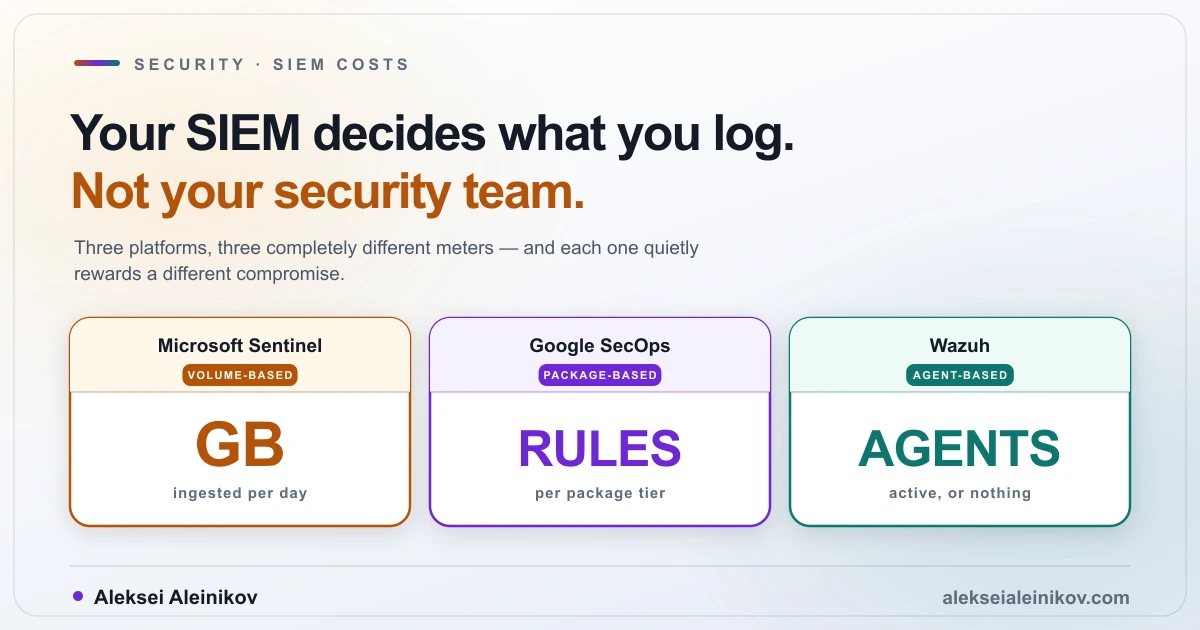
Most SIEM comparisons are feature tables. They are also useless, because the features converge and the pricing models do not.
Wazuh, Microsoft Sentinel and Google SecOps all ingest logs, all detect threats, all sit at the centre of a security operations workflow. What separates them is what each one counts — and that choice quietly determines what your team is willing to log, which determines what you can investigate at 3am.
Here are the three meters, from vendor documentation checked in August 2026.
Sentinel Counts Your Gigabytes
Microsoft Sentinel bills on the volume of data ingested, priced by the tier the data lands in.
The analytics tier has two modes:
- Pay-as-you-go — the default, based on data volume stored. Note that Microsoft measures a GB as 10⁹ bytes here; unlike S3, these are decimal gigabytes.
- Commitment tiers — pre-purchased capacity starting at 100 GB per day, at a discounted effective rate. Usage beyond your commitment is billed at that same effective rate rather than at pay-as-you-go.
Retention of the first 90 days is included. Beyond that you pay Log Analytics retention prices.
One caveat about the numbers in this article: Microsoft keeps the actual per-GB rates on its pricing page and cost estimator rather than in the billing documentation, and they vary by region and commitment tier. What is documented — and what actually shapes your architecture — is the structure below. Run your own volume through the Sentinel cost estimator for the rate that applies to you.
There is now also a data lake tier, which meters four things separately: ingestion, data processing, storage and query. The storage figure is calculated on a fixed 6:1 compression ratio — retain 600 GB of raw data and you are billed for 100 GB. Queries, however, are charged per GB of uncompressed data scanned. Those two facts sit next to each other in the docs and are easy to conflate when estimating.
A genuinely useful set of sources is free: Azure Activity logs, Sentinel Health, Office 365 audit logs covering SharePoint, Exchange and Teams, and security alerts from the Defender family. The caveat is sharp — the alerts are free, the raw logs behind several of those products are not.
The trap in commitment tiers
You can raise a commitment tier at any time. You can lower it only once every 31 days.
That asymmetry is worth planning around. Commit at a level your log volume does not sustain — because a noisy source got switched off, or a migration finished — and you are locked into paying for that capacity for the rest of the month.
One date to put in the calendar
After 31 March 2027, Microsoft Sentinel will no longer be supported in the Azure portal and will be available only in the Microsoft Defender portal. If your runbooks, training material or automation reference Azure portal paths, that is a dated migration task, not an optional one.
Google SecOps Counts Your Detection Rules
Google publishes three packages and no prices at all. Every tier says “contact sales for pricing.”
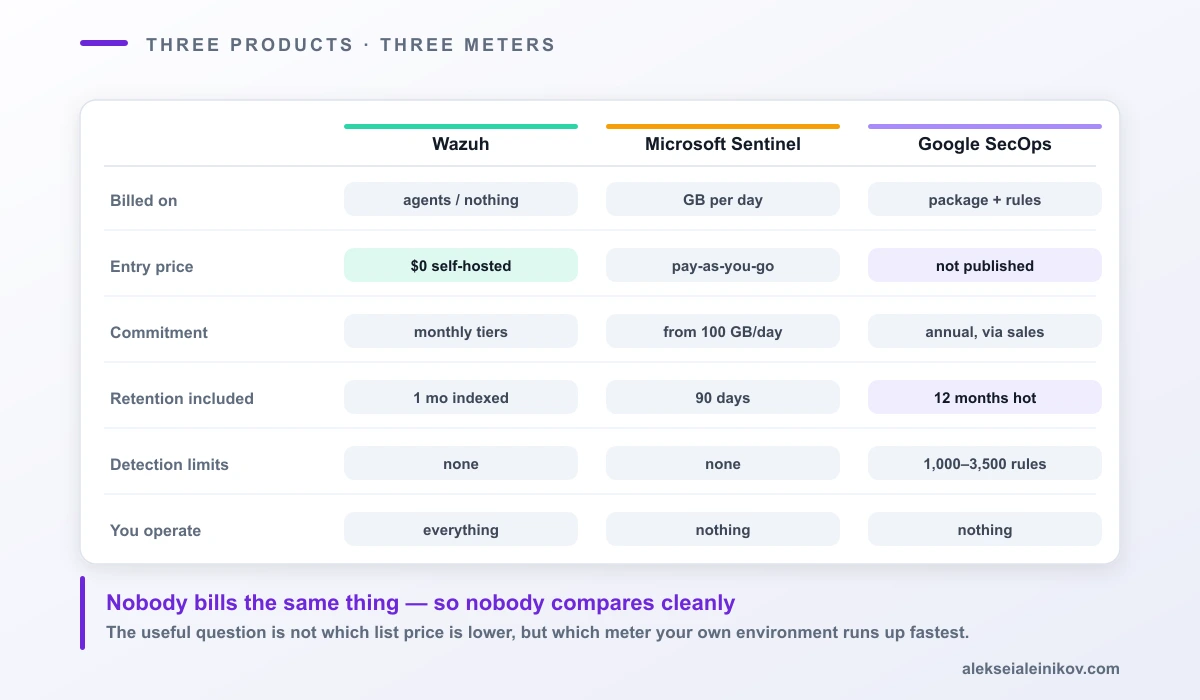
What is public is the shape of the limits, and it is unusual: the ceilings are expressed in detection rules, not gigabytes.
| Standard | Enterprise | Enterprise Plus | |
|---|---|---|---|
| Single-event rules | 1,000 | 2,000 | 3,500 |
| Multi-event rules | 75 | 125 | 200 |
| Environments | 1 | Unlimited | Unlimited |
| Hot retention | 12 months | 12 months | 12 months |
| UEBA | — | Yes | Yes |
| Gemini in SecOps | — | Yes | Yes |
| Applied Threat Intelligence | — | — | Mandiant, VirusTotal, Google |
All three include 12 months of hot data retention, 700+ parsers and 300+ SOAR integrations. Enterprise Plus adds advanced data pipeline management, 12 months of routing to another destination to support SIEM migrations, and free BigQuery storage for UDM exports.
Two observations, one favourable and one not.
In Google’s favour: twelve months of hot retention as standard is a different posture from 90 days included and pay-per-month afterwards. If your compliance regime or your incident timelines assume a year of searchable data, that is a meaningful structural difference rather than a discount.
Against: you cannot model a budget without a sales call. For a platform team trying to compare three options in a spreadsheet, “contact sales” is itself a cost — it is weeks of procurement before you know whether the option was ever viable.
Wazuh Counts Your Agents, or Nothing
Wazuh is the open-source entry, and its pricing splits cleanly in two.
Self-hosted carries no licence fee. That is genuinely free in the sense that the software costs nothing, and genuinely not free in the sense that you now run an indexer cluster whose storage grows with every log source you onboard — plus upgrades, plus capacity planning, plus the engineer who understands it.
Wazuh Cloud starts at $571 per month for the Small tier: up to 100 active agents, one month of indexed data retention and three months of archive retention, with standard support. Larger tiers scale up from there. The platform is PCI DSS and SOC 2 certified, with a 14-day free trial.
Look closely at that meter, because it is the important part: Wazuh Cloud counts active agents and retention windows, not gigabytes ingested. A chatty endpoint costs the same as a quiet one.
That inverts the incentive completely. Under Sentinel, a verbose audit policy on one server increases your bill. Under Wazuh Cloud, it does not.
The Comparison That Matters
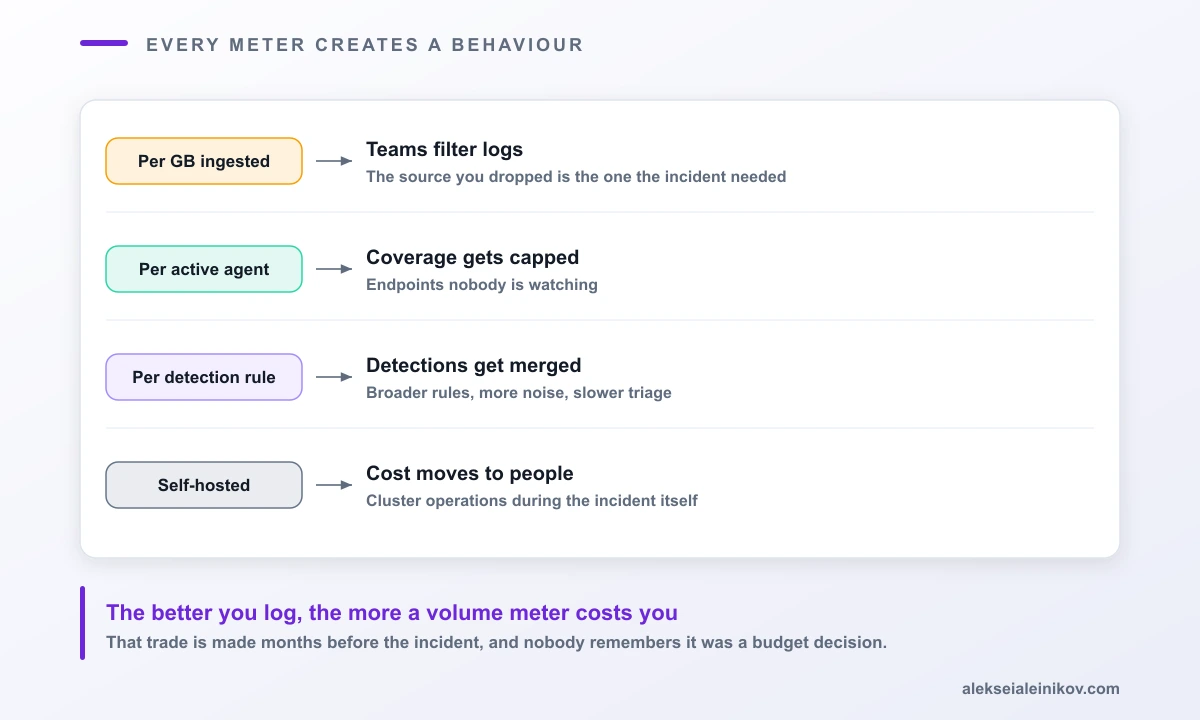
| Wazuh | Microsoft Sentinel | Google SecOps | |
|---|---|---|---|
| Meter | Agents (cloud) or nothing (self-hosted) | GB ingested per day | Package tier + rule limits |
| Entry price | $0 self-hosted; $571/mo cloud | Pay-as-you-go per GB | Not published |
| Commitment | Monthly tiers | From 100 GB/day, lower once per 31 days | Annual, via sales |
| Included retention | 1 month indexed, 3 months archive (Small) | 90 days | 12 months hot |
| Detection limits | None imposed | None imposed | 1,000–3,500 rules by tier |
| You operate | Everything (self-hosted) | Nothing | Nothing |
| Price transparency | Public | Public | Contact sales |
The Part Nobody Puts in the Comparison
A volume meter creates a perverse incentive, and it is worth naming plainly: the better your logging, the higher your bill.
Enable verbose audit logging on a domain controller and the invoice moves. Onboard a noisy but occasionally crucial source — DNS query logs, say, or process creation events — and someone in finance asks why. The rational team response is to filter: drop the debug level, sample the high-volume source, postpone onboarding.
Every one of those decisions is invisible until an incident. Then the missing telemetry turns out to be exactly the thing the investigation needed, and nobody remembers that it was a budget decision made eight months earlier.
This is not an argument that per-GB pricing is illegitimate. It is an argument that the meter is an architectural constraint, and should be treated like one:
- Route genuinely high-value security telemetry into the expensive analytics tier where detections run.
- Keep high-volume, low-value data in a cheaper tier you can still search when you need it — Sentinel’s lake tier exists precisely for this, and Google’s Enterprise Plus package includes routing to another destination.
- Write down which sources you chose not to ingest, and why. That document is what you will want during your first serious incident.
Choosing
Choose Sentinel if you are already a Microsoft security shop. The free data sources — Office 365 audit logs, Defender alerts, Azure Activity — are a real economic advantage that no competitor can match for that estate, and the Defender portal consolidation is where Microsoft is clearly heading.
Choose Google SecOps if retention depth and detection quality matter more than budget predictability. Twelve months of hot data as standard is a genuinely different operating posture, and the Mandiant intelligence in Enterprise Plus is not something you can assemble yourself. Budget the procurement time.
Choose Wazuh if you have the engineering capacity and want the meter off. Self-hosted, no licence cost, no per-GB anxiety, complete control of retention. You are trading a software bill for an operational one — which is a good trade for some teams and a terrible one for teams without a platform function.
And check the meter against your own shape. Few endpoints producing enormous logs? Volume pricing is your enemy. Tens of thousands of quiet endpoints? Agent pricing is. Complex correlation logic? Rule ceilings are the constraint nobody warned you about.
A Short Checklist
- Measure your current daily log volume in GB and your endpoint count. You need both numbers, because different vendors bill each one.
- List your sources by value, not by volume. The expensive tier is for the valuable ones.
- Check which of your sources are free on the platform you are considering — for Microsoft estates on Sentinel this can be a large fraction.
- Model retention explicitly: 90 days included is a very different budget from 12 months included.
- If you are considering a commitment tier, model the month your volume drops. You can only lower it once every 31 days.
- For Google, start the sales conversation early — you cannot evaluate what you cannot price.
- Write down the sources you decided not to ingest. Review that list after every incident.
The Real Point
Every SIEM vendor will tell you their platform detects more with less effort. They are competing on the same detections, the same integrations, increasingly the same AI assistants.
Where they genuinely differ is in what they count — and what they count becomes what your team optimises against. A per-gigabyte meter produces an organisation that filters logs. An agent meter produces one that limits endpoint coverage. A rule ceiling produces one that consolidates detections into fewer, broader rules.
Pick the constraint you can live with, then design around it deliberately, instead of discovering it in an invoice.
Related reading: for what goes into a SIEM in the first place, see Falco for production runtime security and build your own CSPM. For the same economics applied to storage, see what egress actually costs.
Sources: all figures come from vendor documentation checked in August 2026 — Microsoft Sentinel billing (updated June 2026), the Google Security Operations product page, and Wazuh Cloud. Prices change; verify before committing a budget.
From the community
Discussion on Mastodon & Bluesky
Replies to this article from the open web, pulled in live. No ads, no tracking scripts.
Reply there — it shows up here automatically.