
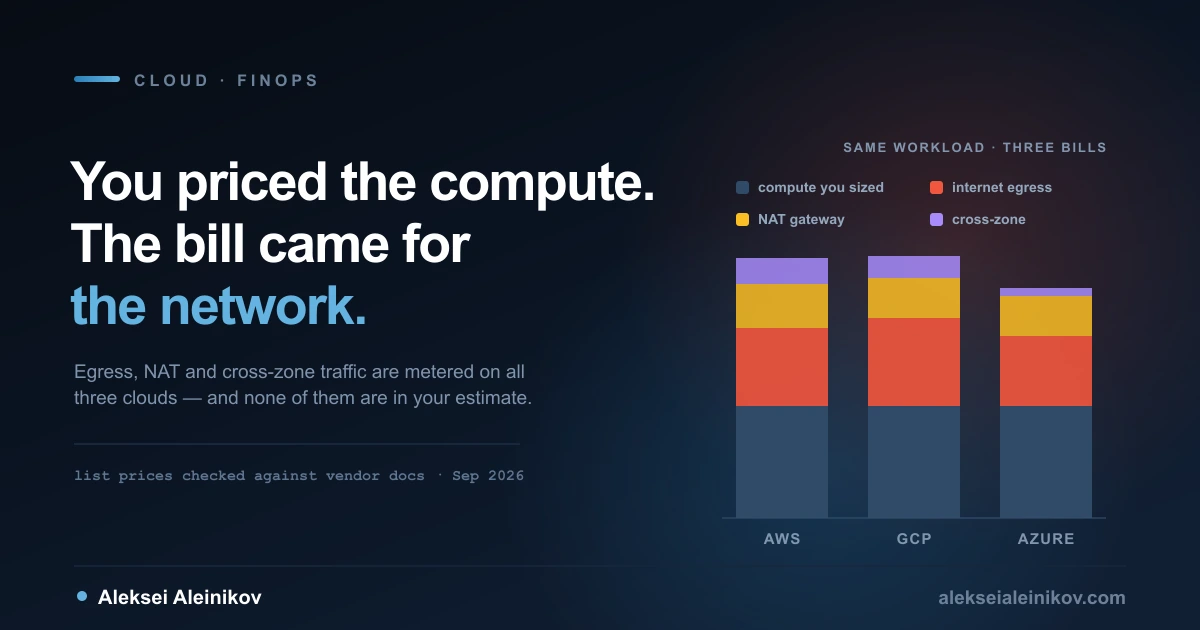
Every cloud estimate starts the same way. Someone opens the pricing calculator, picks an instance type, multiplies by hours, multiplies by replicas, adds a margin for safety, and presents a number.
Then the invoice arrives and the number is wrong. Not catastrophically wrong — the compute line is usually close. It is wrong because of everything sitting above the compute line, and almost none of it was in the calculator.
This is the part of cloud cost that generalises across providers. The instance prices are famously hard to compare — different families, different generations, different discount programmes. The meters that blow up estimates are much more comparable, and much more consistent in how they catch people out.
Here is what those meters cost on AWS, Google Cloud and Azure, taken from each vendor’s own pricing pages in September 2026, and what the order of operations should be when you decide to do something about it.
Why the Estimate Was Wrong
A cloud bill has one line item that scales with the thing you chose, and several that scale with the way your system behaves.
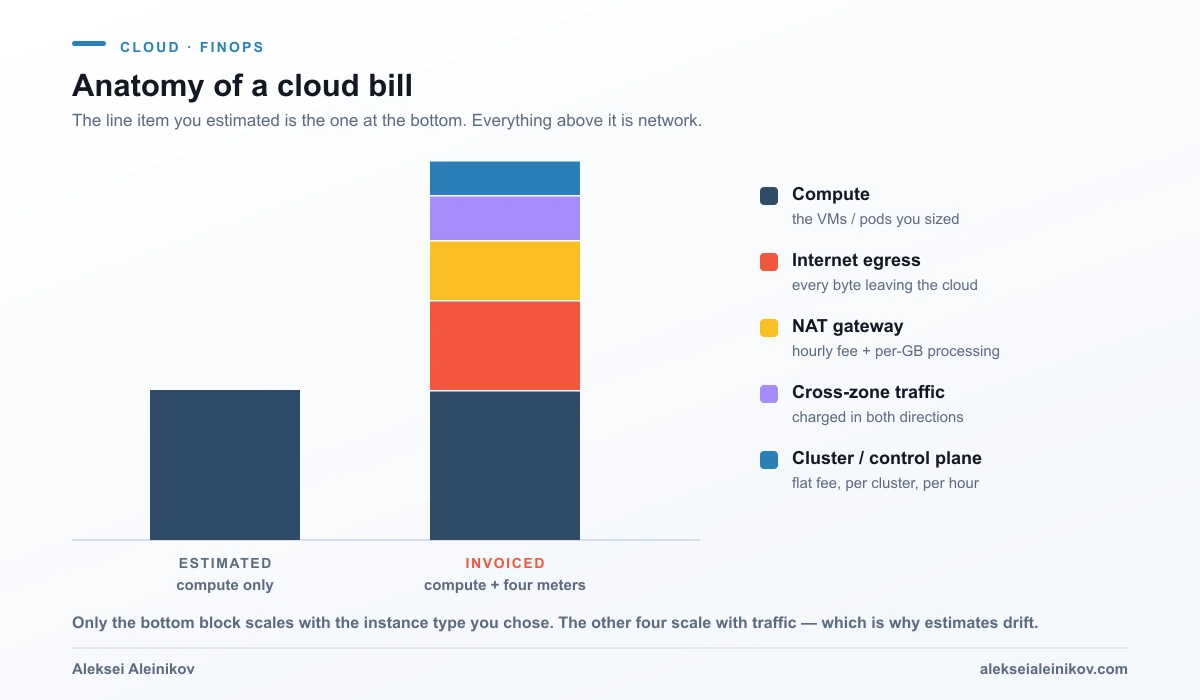
Compute you can predict, because you picked it. The other four you cannot, because they are consequences: of where you put services relative to each other, of how chatty they are, of how much data your users pull, of how many clusters your teams created because it was easier than sharing one.
That is also why “reduce cloud costs” so often turns into “buy a discount”. The discount applies to the predictable line. The unpredictable lines need architecture changes, and architecture changes are harder to put in a slide.
The Four Meters, Priced
Internet Egress
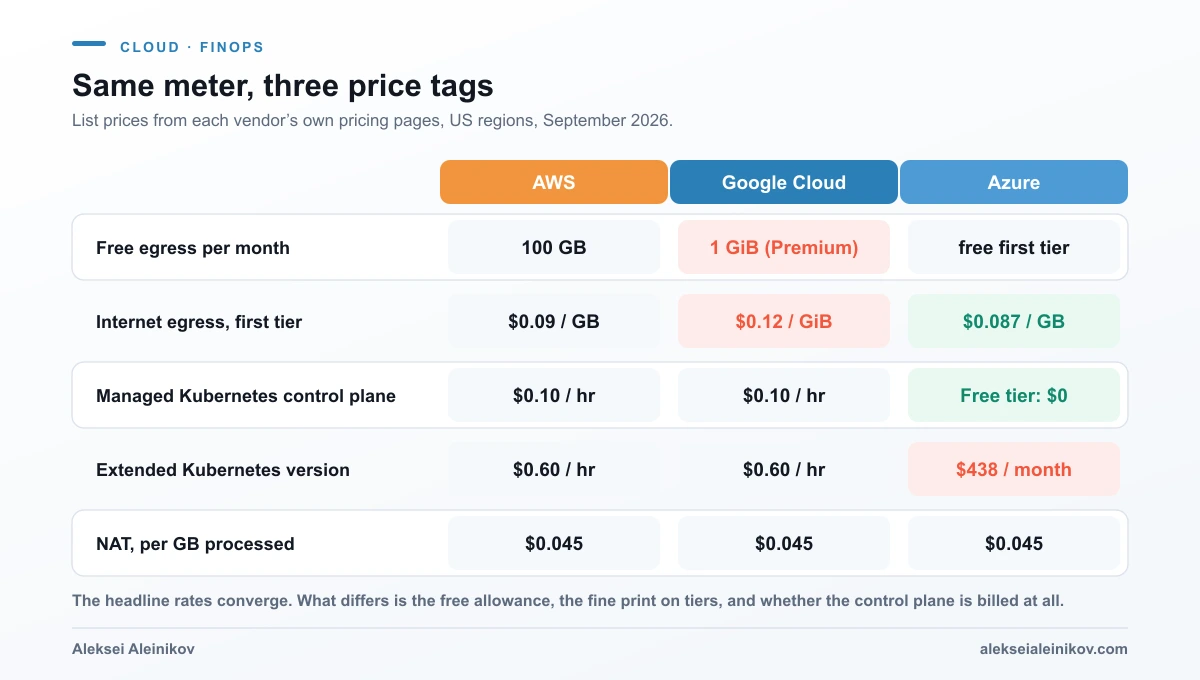
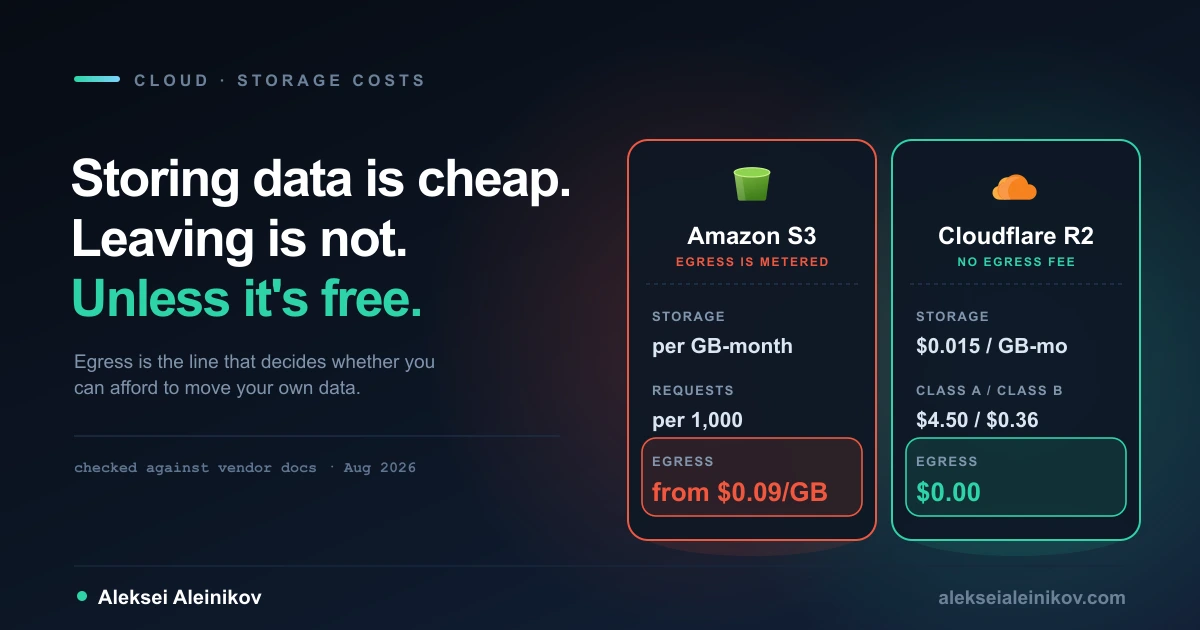
The headline rates are close enough to be uninteresting. AWS quotes $0.09 per GB for the first tier out of us-east-1. Azure quotes $0.087 per GB from North America or Europe over its Premium Global Network, falling to $0.05 at the top volume tier. Google Cloud’s Premium Tier is $0.12 per GiB from 1 GiB to 1 TiB, $0.11 to 10 TiB, and $0.08 above that to North American destinations.
Two things move the real number more than the rate does.
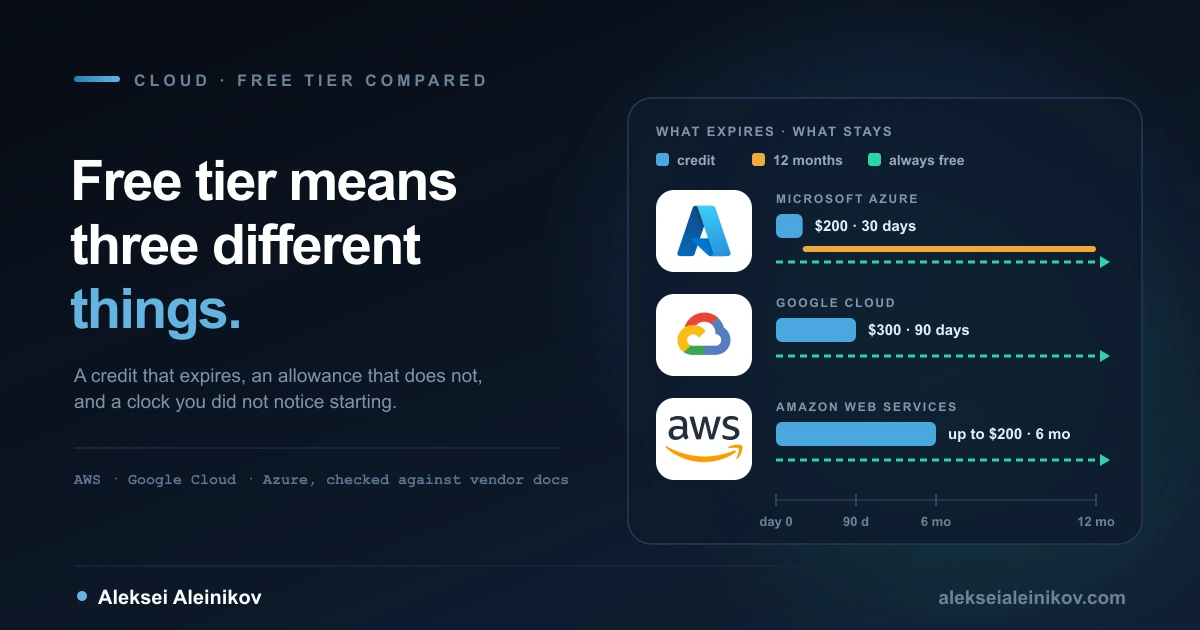
The first is the free allowance, and here they genuinely differ. AWS gives 100 GB per month of data transfer out to the internet free, aggregated across all AWS services and regions except China and GovCloud. Google’s Premium Tier gives 1 GiB. Azure’s rate table opens with a free tier before the per-GB rate begins, but does not print the threshold on that table. If you are running something small, that gap between 100 GB and 1 GiB matters far more than three cents a gigabyte. Egress is only one of the free offers that differ this much; credits, always-free limits and trial clocks are compared in AWS vs Google Cloud vs Azure free tier: what is actually free.
The second is units. Google bills in gibibytes, AWS and Azure in gigabytes. A gibibyte is about 7.4% more bytes than a gigabyte, so the rates are slightly closer than they look — and any spreadsheet that mixes them is quietly wrong.
There is also a cheaper door on two of the three. Google’s Standard Tier charges $0.085 per GiB instead of $0.12, and Azure’s routing preference via transit ISP charges $0.08 per GB instead of $0.087. Both trade the vendor’s private backbone for the public internet. For bulk transfer where latency does not matter, that is a real discount for a configuration change. For user-facing traffic it usually is not worth it.
If object storage egress specifically is what is hurting you, the economics of that one line deserve their own look — I went through it in detail in Cloudflare R2 vs S3: what egress actually costs.
NAT Gateways
This is the meter that surprises people most, because it bills twice — and all three clouds have landed on the same two numbers.
AWS charges $0.045 per NAT gateway-hour and $0.045 per GB processed. Azure matches both figures exactly: $0.045 per resource hour and $0.045 per GB processed. Google’s Cloud NAT charges $0.0014 per VM per hour for up to 32 instances, a flat $0.044 per hour beyond that, $0.045 per GiB processed, and $0.005 per hour for every external IP address the gateway uses.
Two details do the damage. First, the hourly fee runs whether traffic flows or not — AWS bills partial gateway-hours as full hours, and Azure states that billing starts the moment the resource is created. A NAT gateway that nothing has used since the last hackathon still costs roughly $33 a month before a single byte moves. Multiply by every non-production account and the number stops being rounding error.
Second, the per-GB processing charge is in addition to internet egress. Azure’s pricing page says so outright: bandwidth charges apply on top of the NAT data-processed charge. A byte leaving a private subnet for the internet is metered by NAT and then metered again on the way out. At AWS list prices that is $0.045 plus $0.09 — $0.135 per GB for traffic you probably thought cost $0.09.
Cross-Zone Traffic
AWS charges $0.01 per GB for traffic crossing availability zones inside the same region, billed in both directions, so a byte sent between two AZs is charged as $0.01 out and $0.01 in. Google charges $0.01 per GiB for the equivalent hop between zones in the same region.
This is the meter you cannot see. Nobody deploys a service called “cross-zone traffic”. It appears because your API talks to a cache in another zone, or because a Kubernetes service routes round-robin across a multi-zone node pool and half the calls land somewhere else. The architecture that produces it is the same architecture your availability requirements asked for, which is exactly why it is worth measuring rather than assuming.
The mitigation is not “put everything in one zone” — that trades money for uptime. It is to be deliberate about which specific conversations are high-volume and to keep those local, using topology-aware routing rather than hoping the scheduler is thrifty.
The Control Plane
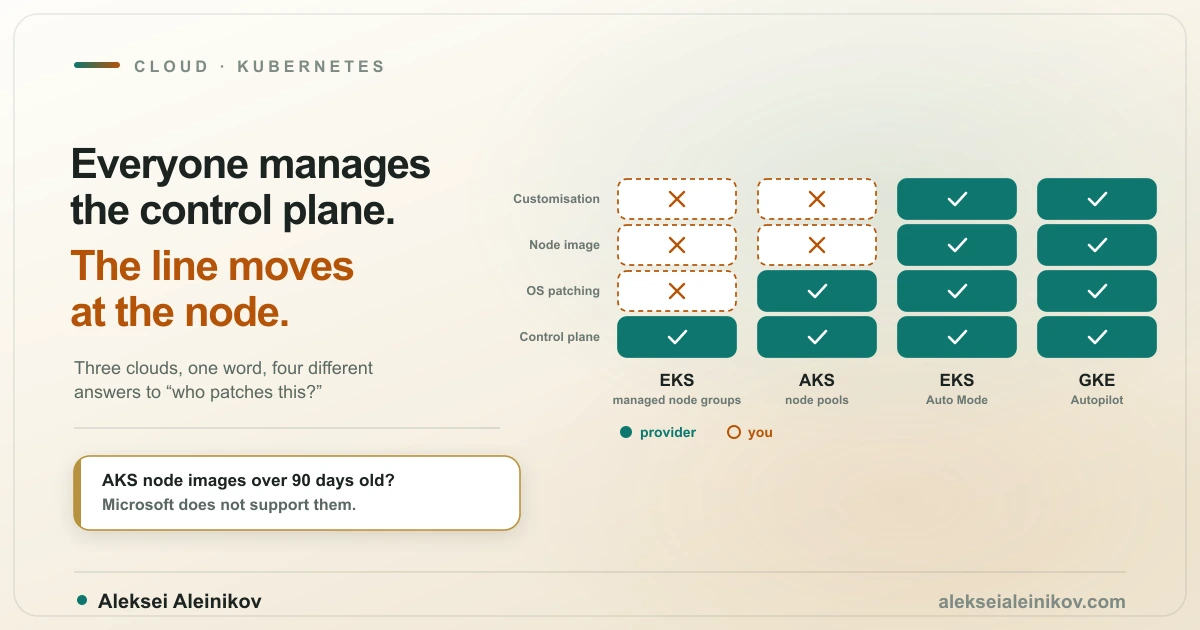
Managed Kubernetes pricing has converged almost exactly.
Amazon EKS charges $0.10 per cluster per hour for versions under standard support. GKE charges a flat $0.10 per cluster per hour for every cluster regardless of mode or topology — zonal, regional, Autopilot, all the same — and adds a free-tier credit of $74.40 per month per billing account, which covers about one zonal Standard or Autopilot cluster. AKS is the odd one out: its Free tier costs nothing but comes with no SLA, its Standard tier is $73 per cluster per month for the API server uptime SLA, and its Premium tier is $438 per cluster per month for long-term support.
Note that $0.10 per hour is $73 a month. All three have landed on the same number for a supported control plane.
Where this line item actually bites is version drift. Both EKS and GKE charge $0.60 per cluster per hour once you are on an extended-support version — six times the standard rate. On EKS that kicks in 14 months after a version ships, and AWS’s own example works out to an average of $0.33 per hour over a 26-month period of not upgrading. AKS prices the same decision as $438 a month. Upgrading Kubernetes is not just hygiene; on all three clouds it is a line on the invoice.
The other trap is cluster sprawl. The fee is flat and per cluster, so thirty small clusters cost thirty times one large cluster, and none of that is compute. If your platform hands out clusters as the unit of isolation, that choice has a price tag — one worth weighing against namespaces and quotas. For how the cluster mode itself changes the compute side of the same bill, see GKE Autopilot vs Standard.
The Small Print That Moves Totals
A few charges are small per unit and large in aggregate, and they share a property: they bill for things that are not running.
Idle IP addresses. AWS charges $0.005 per address-hour for public IPv4, in use or idle — about $3.65 a month each, for every address, everywhere. Google charges $0.005 per hour for an in-use external IP on a standard VM and double that, $0.01 per hour, for a static address reserved but not attached to anything. The penalty is deliberate: hoarding addresses costs more than using them.
Logging and telemetry. Google prices VPC Flow Logs, firewall logging and Cloud NAT logging as vended logs starting at $0.25 per GiB for the first 10 TiB, before Cloud Logging storage charges. Full-fidelity flow logs on a busy VPC can outrun the traffic they are observing. Sample them.
Load balancer data processing. Google charges $0.008 per GiB inbound and outbound processed by the load balancer, separate from egress. Its internal Application Load Balancers also carry a minimum of three proxy instances at $0.025 each per hour — about $55 a month per forwarding rule, whether or not a single request arrives.
None of these will be the largest line on your bill. Collectively, in an estate with a lot of environments, they are the difference between a tidy platform and a leaky one.
FinOps Is Not a Dashboard
The word has been thoroughly colonised by tooling vendors, which is unfortunate, because the actual practice is mostly organisational.
The FinOps Foundation frames it as three repeating phases — Inform, Optimize, Operate — and the order matters more than the labels. Inform means spend is visible and attributable to the team that caused it. Optimize means changing architecture, sizing and purchasing. Operate means doing this continuously, with owners and targets, rather than as a quarterly fire drill.
Almost everyone starts at Optimize, because it feels like engineering. It rarely works, for a simple reason: without attribution you can see that the bill went up, but not whose deployment did it. So the savings work drifts towards whatever is easiest to see rather than whatever is most expensive, and the thing that actually grew keeps growing.
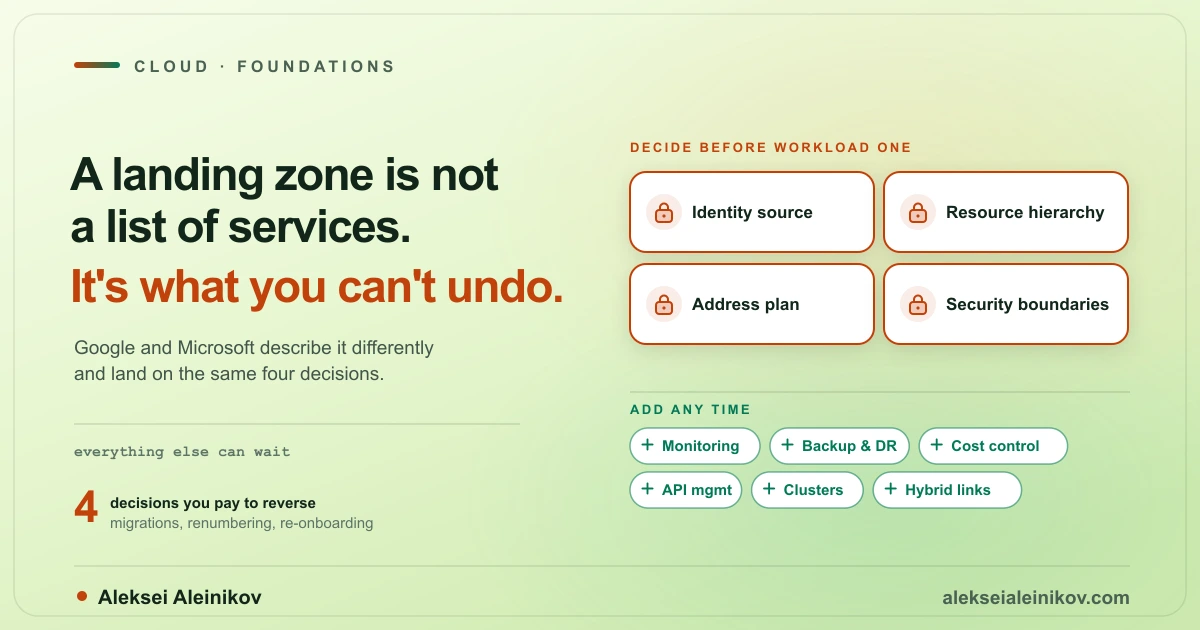
Attribution is not a tool purchase. It is a tagging policy that is enforced at deploy time, a project and account structure that maps onto teams, and a default label set applied by your platform rather than remembered by humans. That belongs in the foundations — it is part of what I argued should be in scope in what belongs in a cloud landing zone. Retrofitting it across a live estate is genuinely unpleasant, which is the best argument for doing it early.
What to Fix First
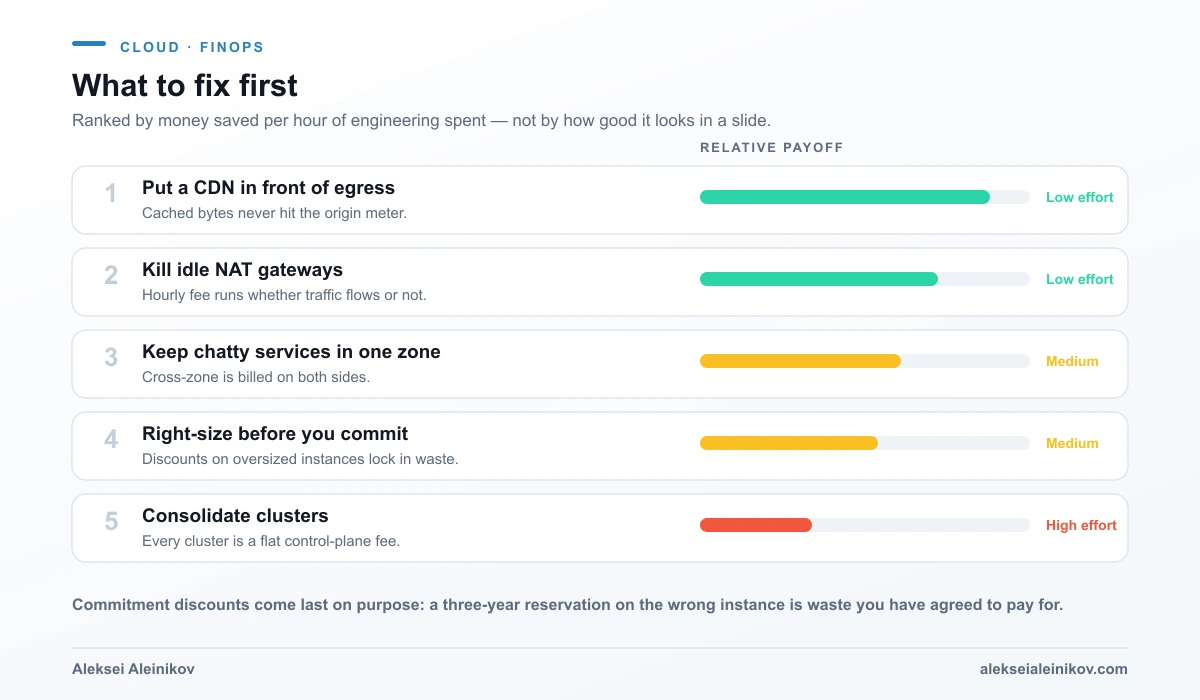
Put a CDN in front of egress. Cached bytes never reach the origin meter. On Google Cloud, data transfer from Compute Engine and GKE to Cloud CDN is free, and cache egress to North America or Europe starts at $0.08 per GiB with cache fill at $0.01 — cheaper than serving the same bytes directly. Azure does not charge for transfer from an Azure origin to Azure CDN or Front Door Standard/Premium in specific cases, which its pricing FAQ spells out — check yours before assuming. This is the highest-leverage change on the list because it is configuration, not architecture.
Kill idle NAT gateways. A standing charge for an unused component is the purest form of waste available. Audit non-production accounts first; that is where they accumulate.
Keep chatty services in one zone. Measure which service-to-service conversations are high-volume before you move anything. The goal is to make the top two or three chatty paths zone-local, not to abandon multi-zone deployment.
Right-size before you commit. Requests are usually set once, at the value that made a load test pass, and never revisited. Vertical autoscaling and in-place pod resizing exist precisely for this, and the mechanics are worth understanding before you turn them on — I covered the trade-offs in Kubernetes autoscaling: HPA vs VPA vs Cluster Autoscaler.
Consolidate clusters. Highest effort, real payoff at scale, and the one most likely to run into organisational resistance — because the cluster boundary is often a team boundary in disguise.
Commitment discounts sit deliberately below all of these. A three-year reservation on an instance twice the size you need is not a saving. It is an overspend you have signed for and can no longer fix.
The Exit Clause
One asymmetry deserves a mention, because it is the reason egress pricing is a strategic question and not just an operational one: data in is free on all three clouds, data out is not. The meter runs hardest precisely when you use your data somewhere else — including somewhere else being a different provider.
Regulation has started to push back. The EU Data Act — Regulation (EU) 2023/2854 — entered into force on 11 January 2024 and has applied since 12 September 2025, setting rules for switching between data-processing providers. The vendors responded with processes rather than automatic price cuts. AWS now states that EU customers may request reduced data transfer rates for eligible use cases under the Act, and separately offers eligible customers free data transfer out when they move all of their data off AWS or off a particular service.
Read the shape of that carefully. It is not a rate you are given; it is a request you have to make, with approval from your account team, delivered as a temporary credit, and AWS currently gives a 90-day window to finish the migration. The exit is available. It is a project with a deadline, not a clause you can rely on in a hurry.
The Bottom Line
The three big clouds have converged on remarkably similar list prices for the meters that matter. Nobody is going to win a cost comparison on egress rates alone, and choosing a provider because one is three cents cheaper per gigabyte is choosing on the wrong axis.
What is actually different is what you do with them. The bill is a readout of your architecture: how much data crosses boundaries, how many standing charges you left running, how many clusters exist because sharing was harder than creating, and whether anyone can tell you which team caused last month’s increase.
Fix the architecture and the discounts follow. Buy the discounts first and you have only made the wrong architecture cheaper to keep.
From the community
Discussion on Mastodon & Bluesky
Replies to this article from the open web, pulled in live. No ads, no tracking scripts.
Reply there — it shows up here automatically.