
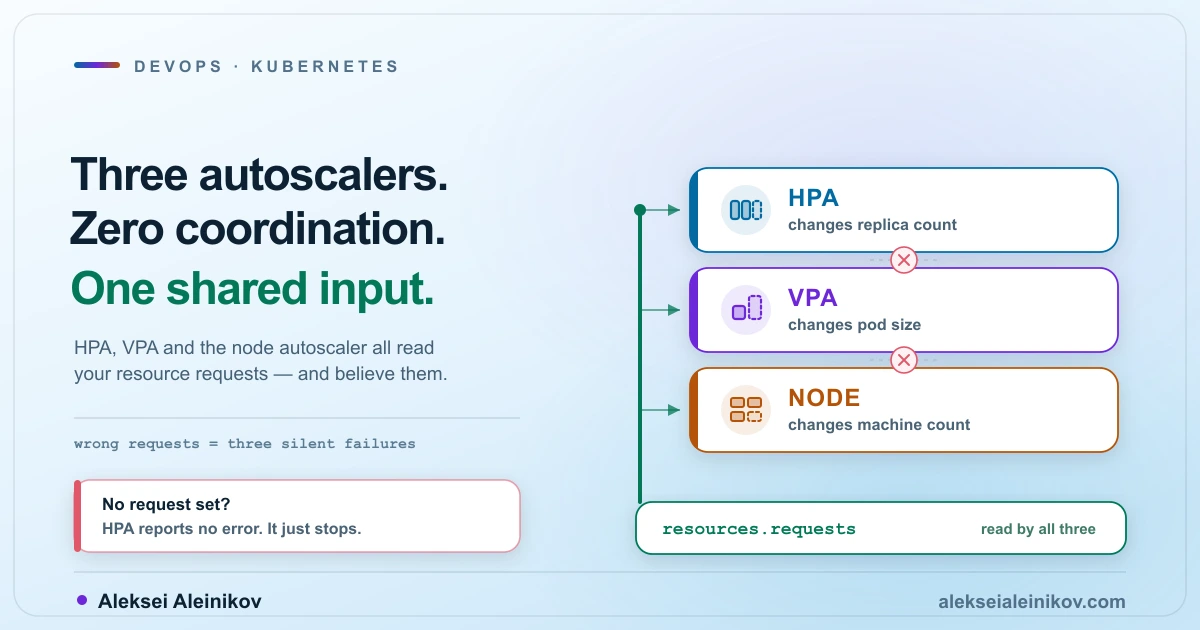
Most teams install all three Kubernetes autoscalers and assume they add up to a system. They do not. HPA, VPA and the node autoscaler are three independent controllers with no shared state and no negotiation protocol.
What they do share is an input: resource requests. Every one of them reads requests to make decisions. None of them read what your application actually uses, except indirectly. Get requests wrong and all three degrade at once — quietly, without a single error event.
This is a tour of the mechanics that actually decide whether your cluster scales or just thrashes.
What Each Layer Actually Changes
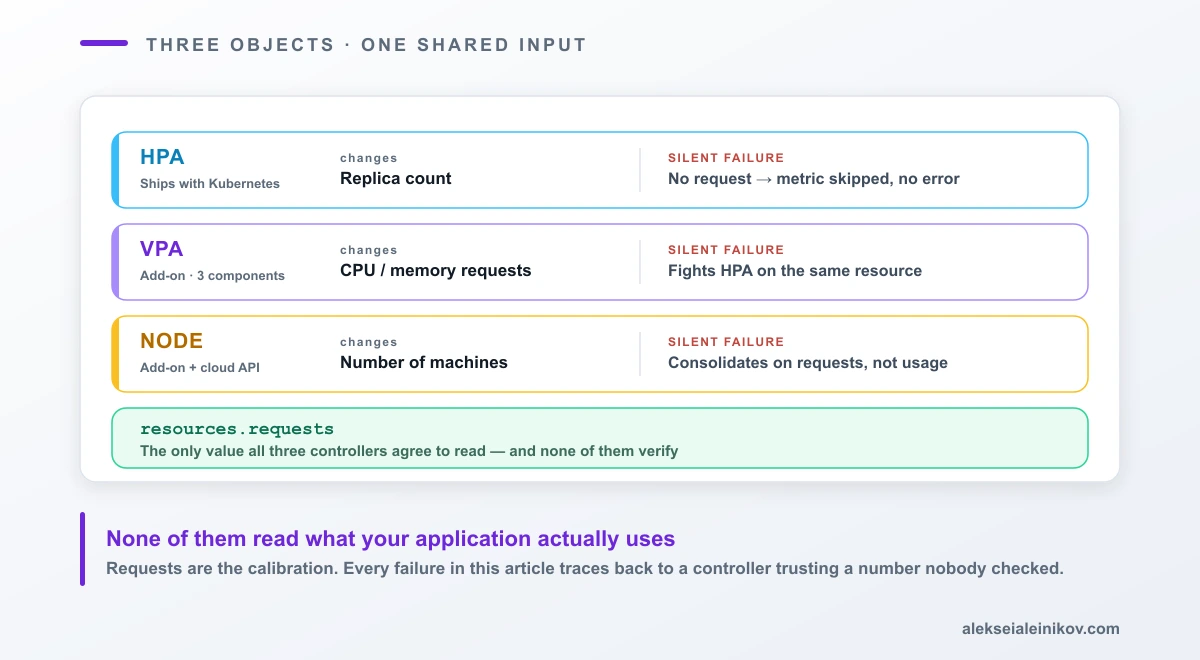
| Changes | Lives in | Reads | |
|---|---|---|---|
| HPA | Replica count | Core Kubernetes API | Metrics API, requests |
| VPA | CPU/memory requests | Add-on CRD | Metrics API, history, OOM events |
| Node autoscaler | Number of machines | Add-on + cloud API | Pending Pods, requests |
The HPA is the only one that ships with Kubernetes. VPA is a separate install with three of its own components. Node autoscaling requires a cloud provider integration. That asymmetry matters when you are debugging: two of the three are things you added.
HPA: The Formula Is Simpler Than You Think
The controller runs on a loop — every 15 seconds by default — and computes:
desiredReplicas = ceil[ currentReplicas × ( currentMetricValue / desiredMetricValue ) ]That is the whole idea. Current metric double the target? Double the replicas. Half the target? Halve them.
Three things about this formula cause most production surprises.
Utilization is measured against requests, not limits. When you set averageUtilization: 60, you are saying “keep average usage at 60% of what the Pods requested.” The request is the denominator. This is why requests are not just a scheduling hint — they are the calibration of your autoscaler.
The controller skips small changes. If the ratio is close enough to 1.0 it does nothing. The default tolerance is 10%, cluster-wide. A workload sitting at 105% of its target will not scale, and there is no event explaining the inaction. Kubernetes 1.35 added a per-HPA tolerance field in beta, so you can now tighten it for one workload:
behavior: scaleUp: tolerance: 0.05Before that, changing it meant a --horizontal-pod-autoscaler-tolerance flag on the controller manager, affecting every workload in the cluster.
Multiple metrics take the maximum. Specify CPU and memory and a custom queue-depth metric, and the HPA computes a desired replica count from each and picks the largest. It is an OR, not a blend. Adding a metric can only make your workload bigger.
The Silent Failure: No Request, No Autoscaling
This is the single most common broken-HPA cause, and it deserves its own section because of how it fails.
If a container in the Pod does not have the relevant resource request set, CPU utilization for that Pod is undefined, and the autoscaler takes no action for that metric.
No error. No warning event. kubectl get hpa shows the object exists. The TARGETS column shows <unknown>, which is easy to read as “still gathering metrics” rather than “permanently broken.”
The fix is trivial once you know. Finding out is the expensive part:
kubectl get hpa -A -o custom-columns=\NS:.metadata.namespace,NAME:.metadata.name,TARGETS:.status.currentMetricsAnything showing no current metrics after a few minutes is not warming up. It is misconfigured.
The Second Silent Failure: Your Sidecar Is Diluting the Signal
HPA sums resource usage across all containers in the Pod. The docs are explicit that this may not represent individual container usage — a single container can run hot while the Pod average stays comfortable, and the HPA never scales out.
Service meshes and logging sidecars make this routine. An application container at 95% of its request paired with an idle sidecar at 5% averages to something that looks fine.
Since Kubernetes 1.30 there is a stable fix — scale on one named container instead of the Pod:
metrics: - type: ContainerResource containerResource: name: cpu container: application target: type: Utilization averageUtilization: 60One caveat worth knowing: if you rename that container, update the HPA to track both names before rolling out the workload change, otherwise the recommendation goes blind mid-rollout.
Scale Up Fast, Scale Down Slow — On Purpose
The default behaviour is deliberately asymmetric, and misreading it produces a lot of false bug reports.
| Stabilization window | Rate limit | |
|---|---|---|
| Scale up | 0 seconds | 100% of replicas or 4 Pods per 15s, whichever is larger |
| Scale down | 300 seconds | 100% per 15s, after the window |
Scale-up is immediate. Scale-down looks at all recommendations from the past five minutes and takes the highest one — a rolling maximum that stops the autoscaler from removing Pods it will need again moments later.
So when someone reports “the HPA is not scaling down,” the answer is usually that it is working exactly as designed and they are watching a five-minute window. If you genuinely need it faster:
behavior: scaleDown: stabilizationWindowSeconds: 60 policies: - type: Percent value: 10 periodSeconds: 60There is also a trap in how you deploy. If you keep spec.replicas in a manifest that an HPA is managing, every kubectl apply resets the count to whatever is in the file — and the HPA pulls it back. That fight is what thrashing looks like on a dashboard. Remove the field from the manifest once the HPA owns the workload.
VPA: Different Problem, Different Failure Mode
The VerticalPodAutoscaler answers a question HPA cannot: how big should each Pod be? It runs three components — a recommender that analyses usage history, peaks and OOM events, an updater that applies changes, and an admission controller webhook that injects the recommended requests into new Pods.
The update mode is the whole decision:
| Mode | Behaviour |
|---|---|
Off |
Recommend only. Nothing is applied. |
Initial |
Set requests at Pod creation, never again. |
Recreate |
Evict Pods when requests drift from recommendation. |
InPlaceOrRecreate |
Resize in place if possible, evict if not. |
InPlace |
Resize in place, never evict — defer and retry instead. |
Auto |
Deprecated since VPA 1.4.0. Alias for Recreate. |
Start at Off. It is genuinely useful on its own: the recommender writes a target, a lower bound and an upper bound into .status.recommendation, which is a free rightsizing audit with no production risk.
The Big 2026 Change — and a Documentation Contradiction
For years the honest objection to VPA was that vertical scaling meant killing the Pod. In-place Pod resize reached stable in Kubernetes 1.35 and is enabled by default. You can now change CPU and memory on a running container:
kubectl patch pod my-pod --subresource resize --patch \ '{"spec":{"containers":[{"name":"app", "resources":{"requests":{"cpu":"800m"},"limits":{"cpu":"800m"}}}]}}'Per-resource policy controls whether a restart is needed — and memory usually still needs one, because most runtimes cannot shrink their heap on demand:
resizePolicy: - resourceName: cpu restartPolicy: NotRequired # default - resourceName: memory restartPolicy: RestartContainerHere I have to flag something. The Kubernetes documentation contradicts itself on whether VPA can use this. The autoscaling overview page states that as of 1.36 VPA does not support resizing Pods in place. The VPA page documents InPlaceOrRecreate and InPlace in full, noting InPlace is alpha in VPA 1.7.0 and needs Kubernetes 1.33+ with the InPlacePodVerticalScaling gate plus InPlace gates on the VPA updater and admission controller.
The VPA page was revised more recently, so the overview is most likely stale. But I could not resolve this from the docs alone, and neither can you — check your installed VPA version and test in a non-production cluster before promising anyone restart-free rightsizing.
Worth knowing regardless of mode: a resize cannot change the Pod’s QoS class. A Guaranteed Pod must keep requests equal to limits after the resize. A Burstable Pod cannot become Guaranteed. Windows Pods are not supported at all. If a resize does not fit the node, the Pod gets a PodResizePending condition with reason: Infeasible — a condition to alert on, because nothing else will tell you.
Why HPA and VPA Fight
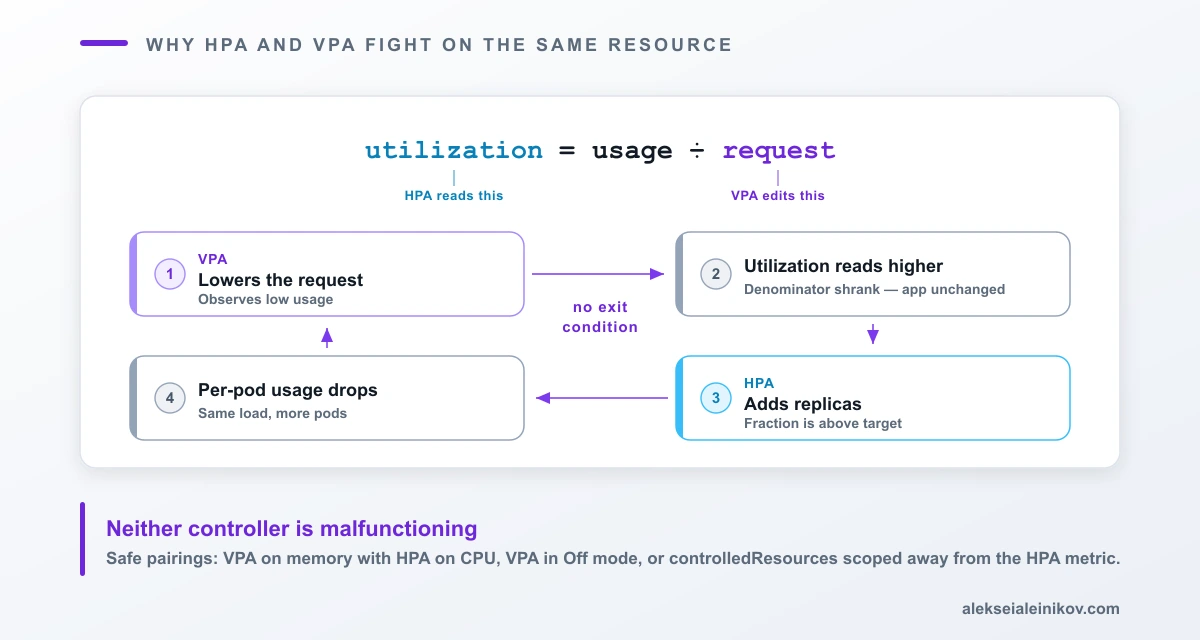
Now put the two together on CPU and follow the arithmetic.
HPA computes utilization as usage / request. VPA’s entire job is to change request.
- VPA observes low usage and lowers the request.
- The same unchanged application now shows much higher utilization — the denominator shrank.
- HPA sees utilization above target and adds replicas.
- Load spreads across more Pods, so per-Pod usage drops.
- VPA observes low usage and lowers the request again.
Neither controller is malfunctioning. They are moving the numerator and denominator of the same fraction with no knowledge of each other.
Combinations that work in practice:
- VPA on memory, HPA on CPU. Different resources, no shared fraction. The most common production pairing.
- VPA in
Offmode. Recommendations feed a human or a pipeline, not the live workload. - VPA scoped with
controlledResourcesso it never touches the resource HPA scales on:
resourcePolicy: containerPolicies: - containerName: "application" controlledResources: ["memory"] controlledValues: RequestsOnlycontrolledValues: RequestsOnly is worth calling out. The default is RequestsAndLimits, which scales the limit proportionally to preserve your request-to-limit ratio. If you have deliberately set a wide gap between request and limit for burst headroom, the default will maintain that gap as it moves — which may be exactly what you want, or may quietly grow your limits far beyond what you intended.
The Node Layer: Provisioning and Consolidation
Underneath both Pod-level autoscalers sits the node autoscaler, which does two things the Kubernetes docs now name explicitly:
- Provisioning — add nodes so pending Pods can schedule. Formerly called scale-up.
- Consolidation — remove underutilised nodes. Formerly called scale-down.
Two implementations are sponsored by SIG Autoscaling, and the difference is not really about scaling quality:
| Cluster Autoscaler | Karpenter | |
|---|---|---|
| Node shapes | Pre-configured node groups | Auto-provisioned from constraints |
| Scope | Node autoscaling only | Full node lifecycle |
| Node refresh / upgrade | No | Yes — recreates nodes after a set lifetime |
| Cloud providers | Many, including smaller ones | Fewer — AWS, Azure |
| Delivery | Integrations in the Kubernetes project | Published as a library providers integrate |
Cluster Autoscaler asks “which of my configured groups fits these pending Pods?” Karpenter asks “what machine should exist for these pending Pods?” — and then also takes responsibility for retiring that machine later.
The Third Silent Failure: Consolidation Ignores Real Usage
This one costs the most money, and it follows directly from the shared-input problem.
Consolidation, like provisioning, considers only Pod resource requests — not real resource usage.
A node whose Pods request 90% of capacity and actually consume 5% is, to the autoscaler, a fully packed node. It will never be reclaimed. Your dashboards show a nearly idle cluster, your invoice shows a full one, and no controller emits an event about it, because from the scheduler’s point of view nothing is wrong.
This is why rightsizing is a prerequisite for node-level cost efficiency rather than a separate optimisation you get to later. The Kubernetes docs say it plainly: setting requests correctly matters as much to cost-effectiveness as node utilisation does.
One related caution: do not run VPA on DaemonSet Pods when using node autoscaling. The autoscaler has to predict what DaemonSet Pods will consume on a hypothetical new node in order to estimate its usable capacity. A VPA that keeps changing those requests makes the prediction unreliable, and wrong predictions produce wrong scaling decisions.
Where KEDA Fits
HPA scales on resource utilization, which is a lagging signal — CPU rises only after work has already arrived and started queueing. For queue-driven workloads, that is backwards.
KEDA, a CNCF-graduated project, scales on the event source itself: messages in a queue, lag on a topic, rows pending. It also handles the case CPU cannot express at all — scaling to zero when the queue is empty. Its Cron scaler covers scheduled scaling, which is the honest answer for predictable daily traffic patterns where reacting is strictly worse than knowing.
KEDA does not replace HPA. It creates and drives one.
A Working Order of Operations
- Set requests deliberately. Everything else reads them. Guessing here corrupts all three layers at once.
- Install VPA in
Offmode and let it observe for a week. Compare.status.recommendationagainst what you actually requested. The gap is your real rightsizing opportunity. - Fix requests based on that data — by hand or through your pipeline. Node consolidation starts working the moment requests reflect reality.
- Add HPA on the metric that reflects your load. Use
ContainerResourceif the Pod has sidecars. - Keep HPA and VPA off the same resource. Memory-VPA with CPU-HPA is the default safe pairing.
- Enable node autoscaling last. It amplifies whatever your requests already say — accurate or not.
- Alert on
PodResizePendingwithreason: Infeasibleif you use in-place resize, and on HPAScalingActive: false. Both are silent failures otherwise.
The Point
There is no such thing as “turning on Kubernetes autoscaling.” There are three controllers operating on three different objects, coordinating through nothing but the resource requests you wrote.
Every failure mode in this article traces back to the same root: a controller read a request, believed it, and acted correctly on bad information. HPA does not scale because a request is missing. HPA thrashes because VPA is editing the request underneath it. Nodes never consolidate because requests describe a cluster that does not exist.
Autoscaling does not make resource sizing someone else’s problem. It makes it the only problem.
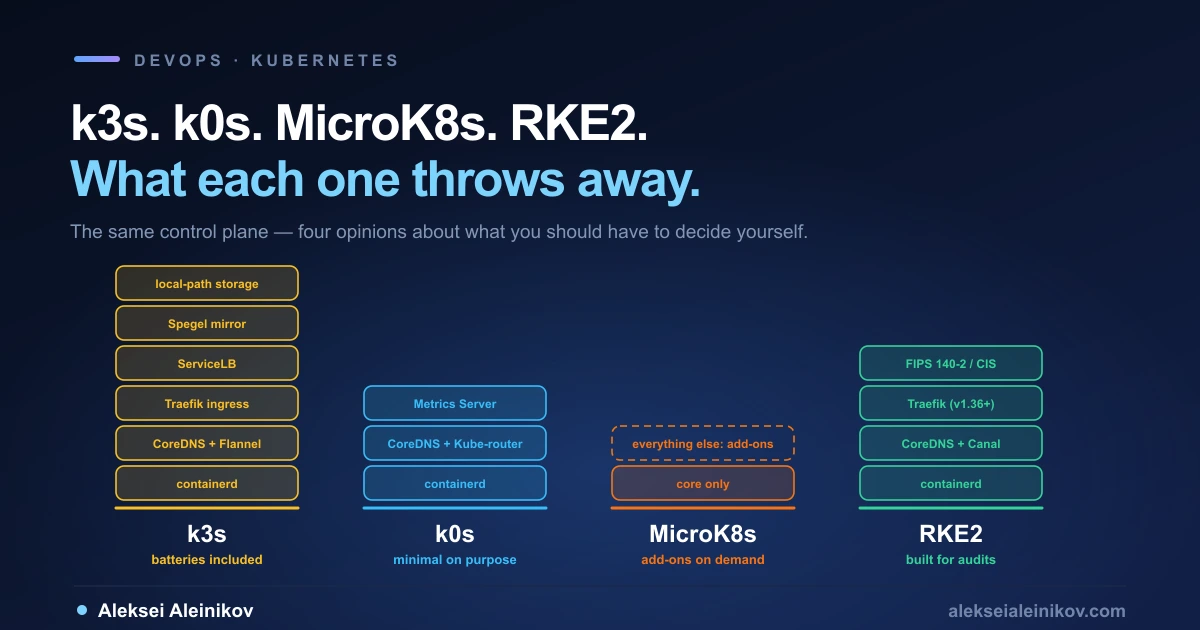
Related reading: for the layer these controllers run inside, see platform engineering on Kubernetes. If you are choosing a distribution first, see k3s vs k0s vs MicroK8s vs RKE2. For the managed-versus-self-managed trade-off on GKE, see GKE Autopilot vs Standard. To enforce that requests are actually set, see OPA vs Kyverno.
Sources: Horizontal Pod Autoscaling, Vertical Pod Autoscaling (revised 31 May 2026), Autoscaling Workloads, Node Autoscaling and Resize CPU and Memory Resources assigned to Containers, all Kubernetes documentation, CC BY 4.0.
From the community
Discussion on Mastodon & Bluesky
Replies to this article from the open web, pulled in live. No ads, no tracking scripts.
Reply there — it shows up here automatically.