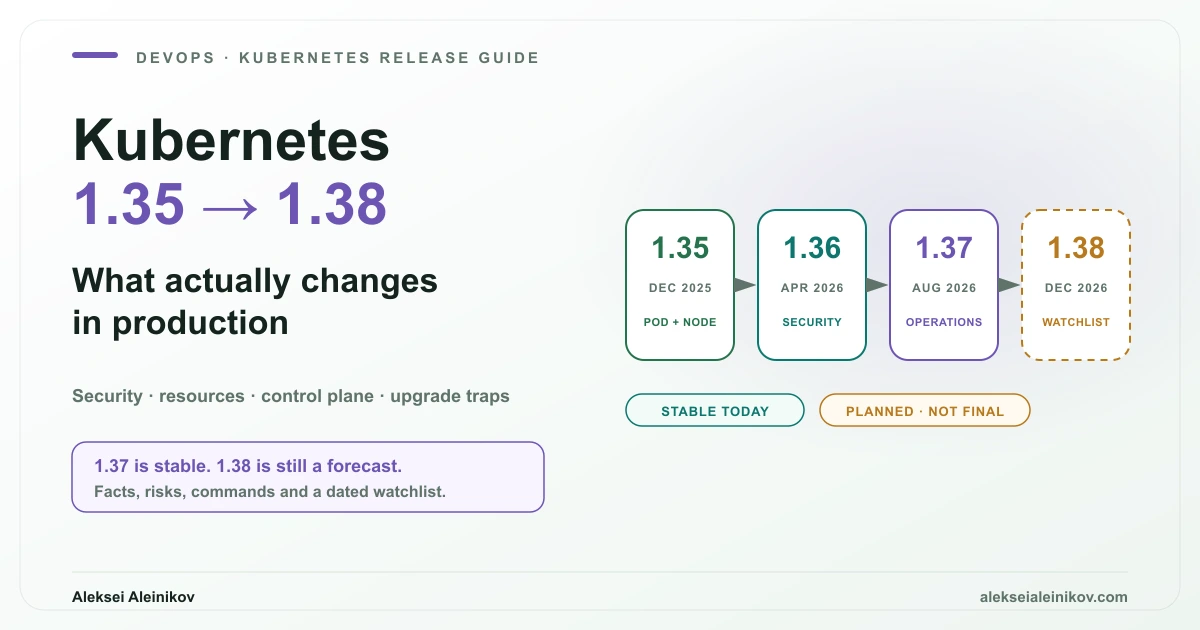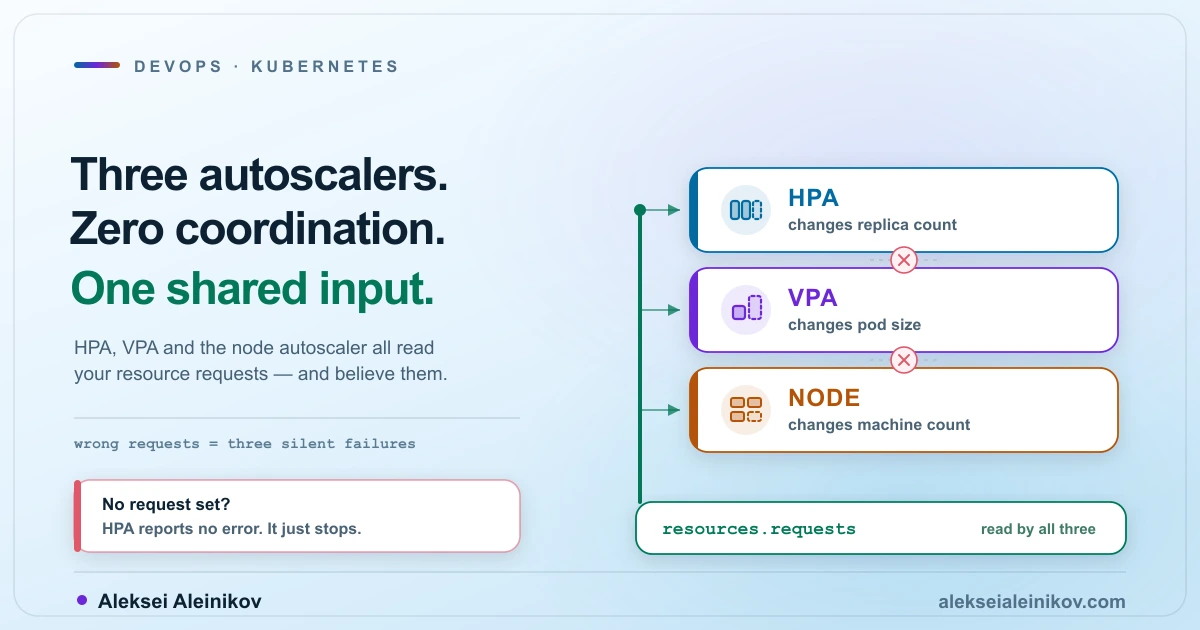
Apple’s open-source apple/container project started as a minimal Swift-based runtime for running Linux containers as lightweight micro-VMs on Apple Silicon. With the addition of container cluster (originally introduced as container k8s and promoted to container cluster in release 1.6.1), Apple quietly shipped native, zero-Docker-Desktop Kubernetes clusters on macOS.
Most social posts stop at “Apple killed Docker Desktop.” For DevOps and Platform Engineers, the real story is in the engineering details: how the micro-VM node topology works, how heterogeneous worker sizing and Cilium CNI work, why --shared-image-store carries a sharp security warning from Apple itself, and where experimental limitations still bite.
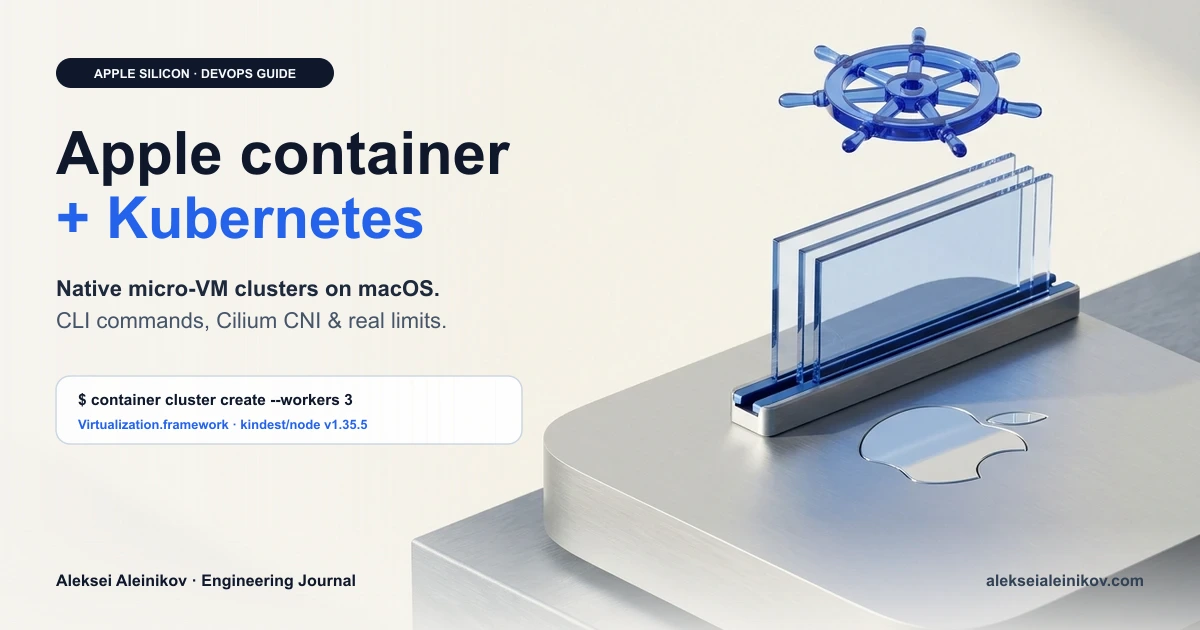
The short DevOps verdict.
container clusteris fast, native, and refreshingly clean for ephemeral multi-node Kubernetes testing, custom CNI labs (like Cilium), and multi-versionkindest/nodevalidation on Apple Silicon + macOS 26+. Just don’t treat it as a stateful pet VM yet: stopped clusters cannot be resumed and must be recreated, and--shared-image-storeshould stay off if you test untrusted manifests.
How Apple’s Architecture Differs from Docker Desktop and Lima
Traditional Mac container tools (Docker Desktop, Colima, Lima, Rancher Desktop) boot one large Linux VM and run containerd/Docker inside it. If you spin up a 3-node kind cluster there, you are nesting Kubernetes nodes as containers inside that single shared VM.
apple/container flips that model using macOS’s native Virtualization.framework and Apple’s Swift Containerization package (the same micro-VM isolation philosophy we compared in microVMs: Firecracker vs gVisor):
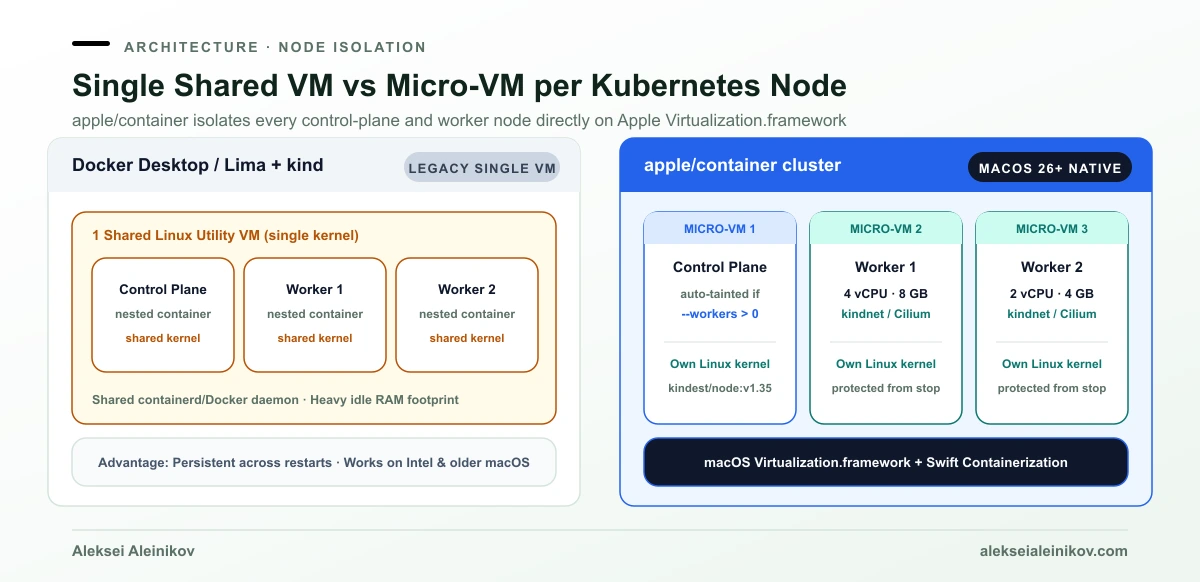
- Micro-VM per node (
vminitd, zero idle VM tax): Each Kubernetes node (control plane and every worker) boots as an isolated lightweight Linux micro-VM directly onVirtualization.frameworkusing Apple’s minimal Swift init (vminitd) — no QEMU, no Lima wrapper, no shared kernel between nodes, and no monolithic background VM holding 2–4 GB of RAM idle when nothing is running. - Hidden from accidental
container stop: Although each node is technically a container,container listhides cluster nodes even with--all. Runningcontainer stoporcontainer deleteagainst a cluster node returns “not found” so you don’t break your control plane by mistake. (Read-only debugging tools likecontainer logs,container exec,container inspectandcontainer statsstill work on node names.) - Standard
kindest/nodecompatibility: By default, clusters bootkindest/node:v1.35.5and automatically merge credentials into~/.kube/config, sokubectl,helm, andk9swork immediately.
Prerequisites and Setup (Commands That Actually Work)
Apple explicitly scopes apple/container to Apple Silicon Macs running macOS 26 or later — Intel Macs and older macOS releases are unsupported because the runtime depends on macOS 26 virtualization and networking APIs.
1. Install and start the runtime
Download the signed .pkg installer from the apple/container releases page, install it under /usr/local, and start the system service:
container system start2. Spin up your first cluster
# Create the default cluster (named "cluster-dev")container cluster create
# Inspect cluster status (add --nodes for per-node rows)container cluster list --nodes
# Verify kubectl context auto-configurationkubectl --context cluster-dev get nodes -o wide
By default, a single node acts as both control plane and worker, allocated 1/4 of your host CPUs (minimum 2) and 1/4 of your host memory (minimum 2GB).
3. Multi-node clusters with custom heterogeneous workers
This is where container cluster shines for platform engineers testing real scheduling rules, taints, and affinity. As soon as --workers is greater than 0, apple/container automatically taints the control-plane node so application pods only schedule onto worker nodes:
# Control plane (2 vCPU, 4GB) + 2 beefy workers + 1 small workercontainer cluster create --name staging \  --cpus 2 --memory 4g \  --workers count=2,cpus=4,memory=8g \  --workers count=1,cpus=2,memory=4g
# Verify taints and node sizingkubectl --context staging get nodes -o wide
# Debug a cluster node directly (read-only/exec commands work; stop/delete are blocked)container stats staging-worker-1container logs staging-control-plane
Worker nodes are named <cluster-name>-worker-<n> and inherit the control plane’s --node-image. For throwaway CI-style runs on your laptop, add --rm (container cluster create --name temp --rm) so node containers auto-remove when stopped. Apple also publishes a reference three-tier Gateway API setup in its official container-cluster-gateway example.
4. Side-by-side Kubernetes version testing
Need to validate a Helm chart or CRD deprecation across Kubernetes minor versions? Override --node-image:
container cluster create --name k8s-134 --node-image docker.io/kindest/node:v1.34.11container cluster create --name k8s-135 --node-image docker.io/kindest/node:v1.35.5
kubectl config get-contexts
Replacing kindnet with Cilium CNI
By default, container cluster installs kindnet for pod networking. If you run Cilium in production and want eBPF NetworkPolicy or Hubble parity locally, you can pass any plain Kubernetes YAML manifest via --cni.
Important catch: --cni expects a rendered YAML file (not a Helm chart), and Cilium’s default cluster-pool IPAM (10.0.0.0/8) collides with kubeadm’s pod/service CIDRs. Render the template with ipam.mode=kubernetes first:
helm repo add cilium https://helm.cilium.io/helm repo update
helm template cilium cilium/cilium \  --version 1.20.1 \  --namespace kube-system \  --set ipam.mode=kubernetes > cilium.yaml
container cluster create --name cilium-lab --cni ./cilium.yamlkubectl --context cilium-lab get pods -n kube-system
The --shared-image-store Security Trap (Read Before Using)
One of the headline conveniences in apple/container is running images you built locally (container build) inside Kubernetes without pushing them to Docker Hub, GHCR, or a local registry.
To enable that, you pass --shared-image-store at creation time:
container cluster create --name dev --shared-image-storecontainer build -t my-service:dev .kubectl --context dev run my-service --image=my-service:dev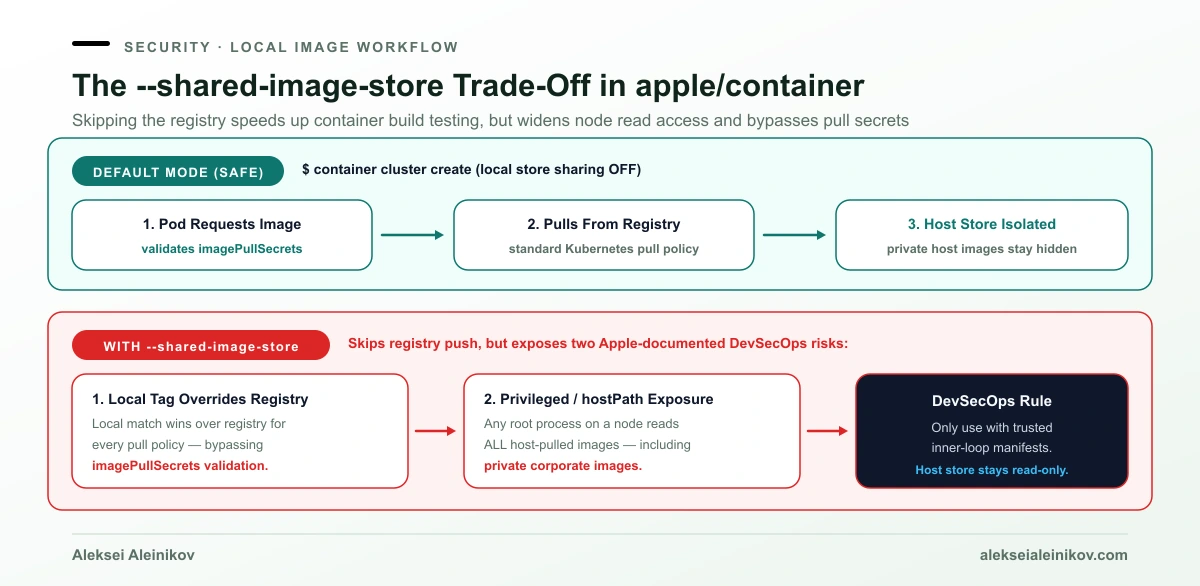
Notice sharing is OFF by default for a very good reason. Apple’s own documentation highlights two subtle security and correctness traps when --shared-image-store is enabled:
- All local private images become readable by root on any node: Any privileged pod or pod with a
hostPathmount can read every image in your Mac’s localcontainerimage store — including private images you previously pulled using your corporate registry credentials. - Local tags silently shadow registry pulls: If your local store has an image matching a pod’s image name, the node uses the local image before checking the registry — regardless of
imagePullPolicyand without validatingimagePullSecrets. - Tag reuse pitfall: If you rebuild
my-service:devwith the same tag, existing nodes keep their cached copy underimagePullPolicy: IfNotPresent. Bump the tag or setimagePullPolicy: Always.
Rule of thumb: Keep --shared-image-store enabled only in trusted inner-loop dev clusters where you control every manifest. When testing third-party Helm charts or untrusted workloads, omit it and pull from a registry.
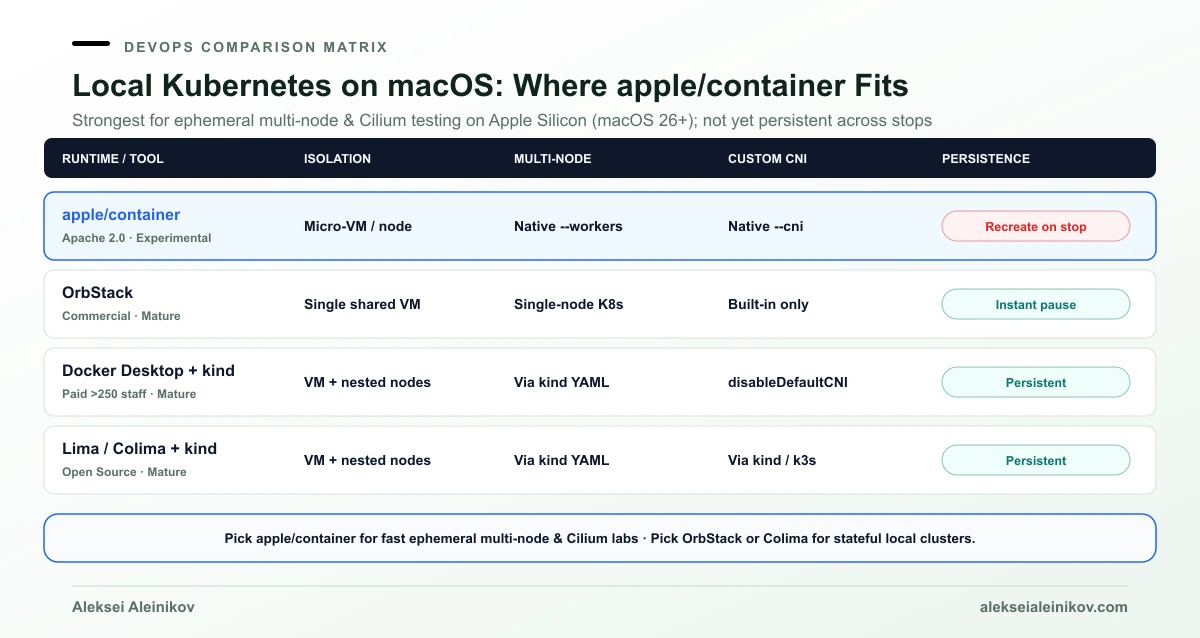
Honest Comparison: apple/container vs OrbStack vs Docker Desktop + kind vs Lima
How does apple/container stack up against the tools DevOps teams already use on macOS (or rootless alternatives like Podman)?
| Dimension | apple/container (cluster) |
OrbStack | Docker Desktop + kind |
Lima / Colima |
|---|---|---|---|---|
| Isolation Model | Micro-VM per Kubernetes node (Virtualization.framework) |
Single ultra-fast shared Linux VM | Single heavy Linux VM + nested kind containers |
Single Linux VM (VZ or QEMU) |
| OS Requirement | Apple Silicon + macOS 26+ | macOS 12.3+ (Apple Silicon & Intel) | macOS 12+ | macOS 12+ |
| Multi-node & Sizing | Native --workers count=...,cpus=...,memory=... + auto-taint |
Single-node built-in K8s | Multi-node via kind config |
Single VM (multi-node via kind) |
| Custom CNI (Cilium) | Native --cni ./cilium.yaml |
Limited built-in K8s customization | Supported via kind (disableDefaultCNI) |
Supported via k3s / kind |
| Stop / Resume Persistence | No (stopped cluster must be deleted & recreated) | Yes (instant pause/resume) | Yes (cluster survives restarts) | Yes |
| License & Maturity | Open Source (Apache 2.0) · Experimental | Commercial (free for personal use) · Mature | Commercial (paid for teams >250 / >$10M) · Mature | Open Source (Apache 2.0 / MIT) · Mature |
Real-World Limitations to Know Before Migrating
Before deleting Docker Desktop or OrbStack across your engineering team, factor in four hard boundaries:
- No cluster pause/resume yet: If you run
container system stop, reboot, or your control-plane node stops, you cannot restart the cluster in place. You must runcontainer cluster deleteandcontainer cluster createagain — and--rmclusters leave astoppedstub entry until deleted or overwritten. - Experimental CLI stability: Apple explicitly warns that features marked experimental (specifically
container cluster) may introduce breaking CLI changes between releases (as already happened whencontainer k8swas renamed tocontainer clusterin1.6.1). - macOS 26+ hard floor: Mixed engineering teams with Intel Macs or developers waiting to upgrade macOS cannot standardize on
apple/containeryet. - No managed LoadBalancer / Ingress controller (or native Compose) out of the box: Like bare
kind, you get a clean cluster andkindnet(or your--cni), so exposing services beyondkubectl port-forwardrequires installing Envoy Gateway, ingress-nginx, or community wrappers likekiac. Similarly,apple/containerhas no built-indocker composeequivalent yet (requiring third-party wrappers likecontainer-composeoutside Kubernetes).
What Developers Actually Report in Practice
Across Reddit (r/MacOS, r/kubernetes, r/docker), Dev.to, and Substack engineering write-ups, early adopters of apple/container consistently highlight the same split between excitement and rough edges:
- What engineers praise: Leaving behind Docker Desktop licensing and heavy idle VM overhead, fast micro-VM boot times on Apple Silicon, clean node-level kernel isolation that feels closer to production clusters, and how quickly community tooling like
kiac(multi-node k3s/kubeadm with Cilium eBPF and built-in LoadBalancer) andrke2-silicongrew on top of it. - What frustrates early adopters: Host-to-container networking and volume-mount quirks compared to OrbStack’s seamless Mac integration, the inability to pause and resume a cluster across reboots, and breaking CLI changes while
clusterremains experimental (such ascontainer k8srenaming tocontainer clusterin1.6.1).
When You Should Adopt It Now
- Use
apple/container clustertoday for ephemeral CI-like validation on your Mac: testing Kubernetes upgrades (v1.34vsv1.35), debugging multi-node scheduling/taints, experimenting with Cilium manifests, and fast inner-loop builds when you don’t want Docker Desktop licensing overhead. - Stick with OrbStack or Colima +
kindif you keep stateful local Kubernetes stacks running across reboots, need Intel/older macOS support, or rely on Compose + K8s workflows that can’t tolerate experimental CLI churn.